Best Quality of Life Mods for Minecraft 26.3
7 Minecraft mods that should be vanilla (26.3)
Seven Fabric mods for Minecraft 26.3, tested side by side with vanilla in my own world: Chat Heads, Enchantment Descriptions, BetterF3, Shulker Box Tooltip, Particle Rain, Carry On and Physics Mod. What each one changes, what it needs, and where to get it.
Tested on Minecraft 26.3 (Fabric), October 15, 2026, all seven mods in one instance with default settings, vanilla on the same camera path. How I test
Seven Fabric mods for Minecraft 26.3 that fix small things the game should have fixed years ago, plus one that has nothing to do with comfort. I filmed every one of them in my own world, the same shot twice: vanilla first, then with the mod. My short verdict: Shulker Box Tooltip and Enchantment Descriptions belong in almost every survival setup, Carry On is the one that changes how you play, and Physics Mod is pure fun for your eyes.
 1:47
1:47 The short version
7 Minecraft Mods That Should Be Vanilla
Playing loads the video from YouTube (privacy-enhanced mode), which may set cookies and process your data. Details.
The seven mods at a glance
| # | Mod | What it changes | Needs | Server? | Tested version |
|---|---|---|---|---|---|
| 7 | Chat Heads | Player head next to every chat message | Nothing | Client only | 1.3.2 |
| 6 | Enchantment Descriptions | What each enchantment does, in the tooltip | Fabric API, Prickle | Client, server optional | 26.3.0.2 |
| 5 | BetterF3 | Debug screen (F3) in colored modules | Fabric API, Cloth Config | Client only | 20.0.0 |
| 4 | Shulker Box Tooltip | Every slot of a shulker box as an icon | Fabric API | Client, server optional | 5.4.2 |
| 3 | Particle Rain | Rain and snow as particles, fog, sandstorms | Fabric API | Client only | 4.0.2 |
| 2 | Carry On | Pick up chests, furnaces and small mobs | Fabric API | Client and server | 2.12.0 |
| 1 | Physics Mod | Broken blocks fly apart, mobs ragdoll | Nothing | Client only | 3.2.5 |
“Client only” means you can use it on any server without the server having it. Versions and requirements are from Modrinth; on October 22, 2026 none of the seven had a newer 26.3 release than the one I tested.
How I picked and tested
- The rule: a stable Fabric release for Minecraft 26.3 on Modrinth, and a difference you can actually see next to vanilla. I checked every project and its requirements on October 15, 2026.
- The test: on October 15, 2026 I recorded every scene in copies of my world, Valley of Mods, with my own recorder. Each scene ran twice on the same camera path, once in plain vanilla and once with the mods, all seven together in one Fabric instance, every mod on its default settings.
- The ranking: my own call, from nice to have (#7) to the mod that surprised me most (#1). It is not a download ranking: Chat Heads has the most downloads of the seven and still sits at #7.
- Cut from the list: Dynamic Crosshair (filmed, but the change was too small to see in the shot) and Falling Leaves (weak next to vanilla’s own falling leaf particles).
My test PC and the rest of the method: How I test. Where all seven land among every mod I tested this month: Every Minecraft 26.3 mod I tested, ranked.
#7 Chat Heads
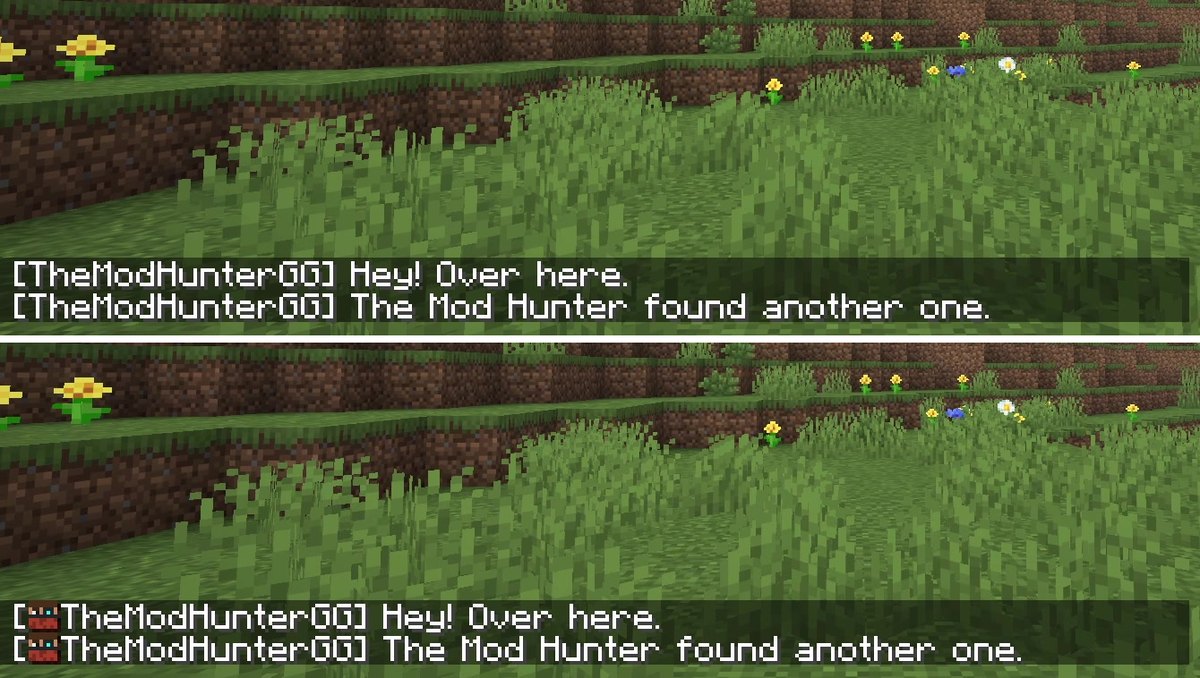
Every chat message gets the sender’s player head next to the name, so on a busy server you see who’s talking at a glance. It’s client-side and needs no other mod. Version 1.3.2 for 26.3, by dzwdz, with over 52 million downloads on Modrinth.
What I saw: the same chat messages in vanilla and with the mod, and the change is a small player head in front of each name.
Settings: the mod works without a config screen, using its defaults. To change anything you need Cloth Config, and on Fabric also Mod Menu to open the settings.
If heads are missing or wrong: the author notes that the default settings might not work on some servers. Switch the sender detection mode to “Heuristic only” in the settings; this can put a wrong head on some messages. Chat Heads is incompatible with newer OptiFine versions, so use Sodium instead.
#6 Enchantment Descriptions
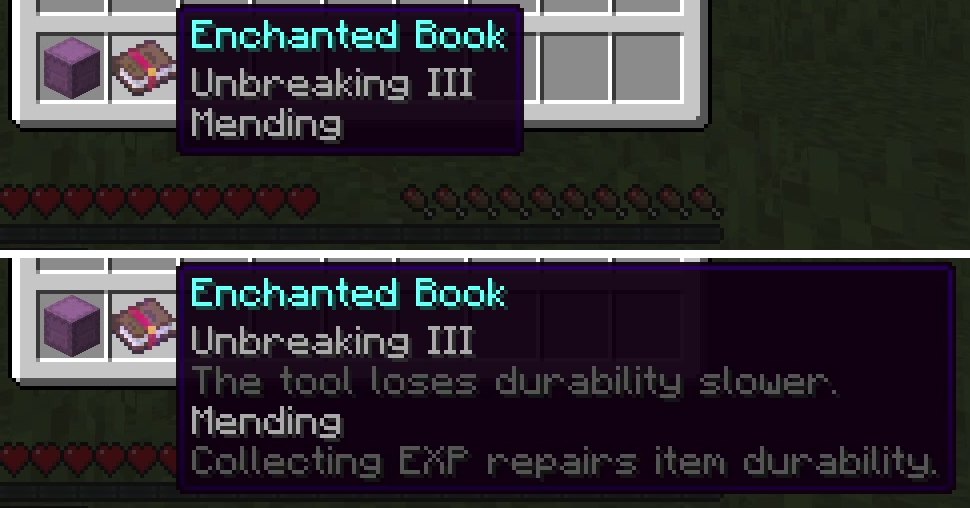
Vanilla only tells you a book has Mending or Unbreaking. Enchantment Descriptions adds what the enchantment actually does to the tooltip of enchanted books. Version 26.3.0.2 by Darkhax, needs Fabric API and Prickle.
What I saw: under Mending the tooltip reads “Collecting EXP repairs item durability”, and every other enchantment on the book gets its own line too.
Good to know: it covers all vanilla enchantments in over 13 languages and, according to the author, most modded ones. It’s a client mod; Modrinth lists the server side as optional, so you don’t need it on a server.
If the game doesn’t start: check that Prickle is in your mods folder. It’s a required library for this mod, and Fabric names it when it’s missing (what that error screen means).
#5 BetterF3
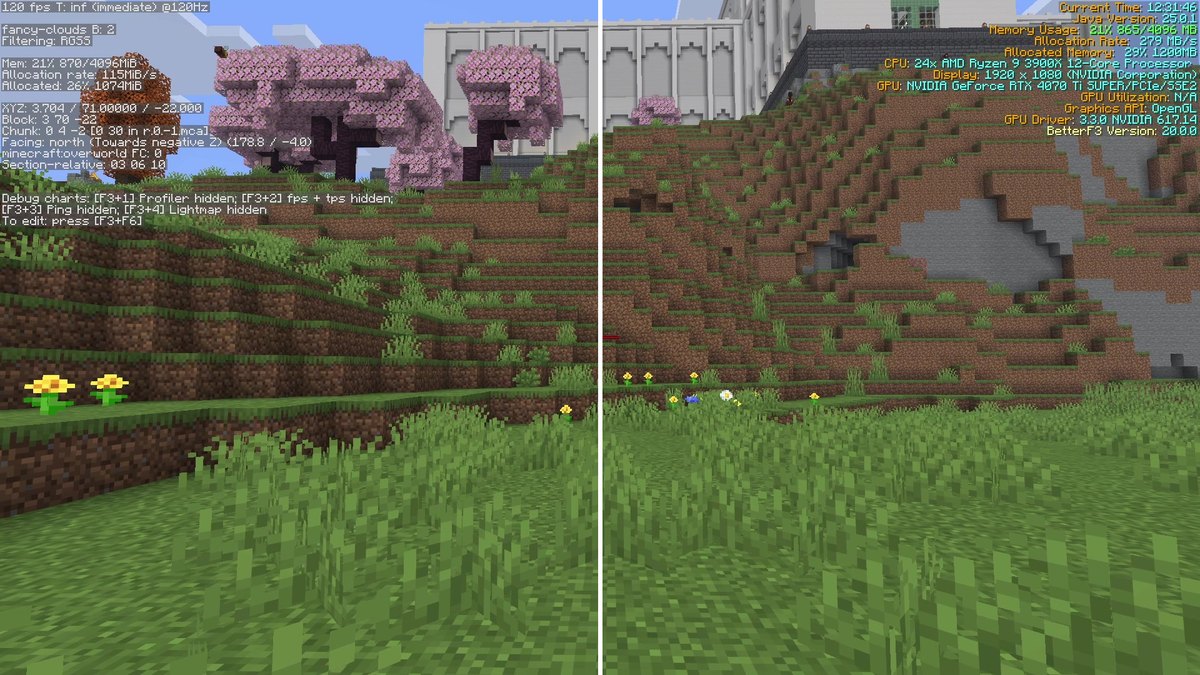
BetterF3 replaces the debug screen (F3) with colored modules that are much easier to read. Version 20.0.0 by TreyRuffy, needs Fabric API and Cloth Config.
What I saw: with default settings, the same F3 screen turns into colored blocks with the values sorted into sections. Coordinates, biome and frame rate are much quicker to find.
Settings: press F3 + M in game to edit the screen (this needs Cloth Config). You can change the color and position of every module, add or delete modules, add spacing, hide single lines, turn the text shadow off, change the background color and set the speed of the open and close animation. With Mod Menu you also reach the options from the mod list.
Compatibility: client-only, Modrinth lists it as unsupported on servers, so it never needs to go there.
#4 Shulker Box Tooltip
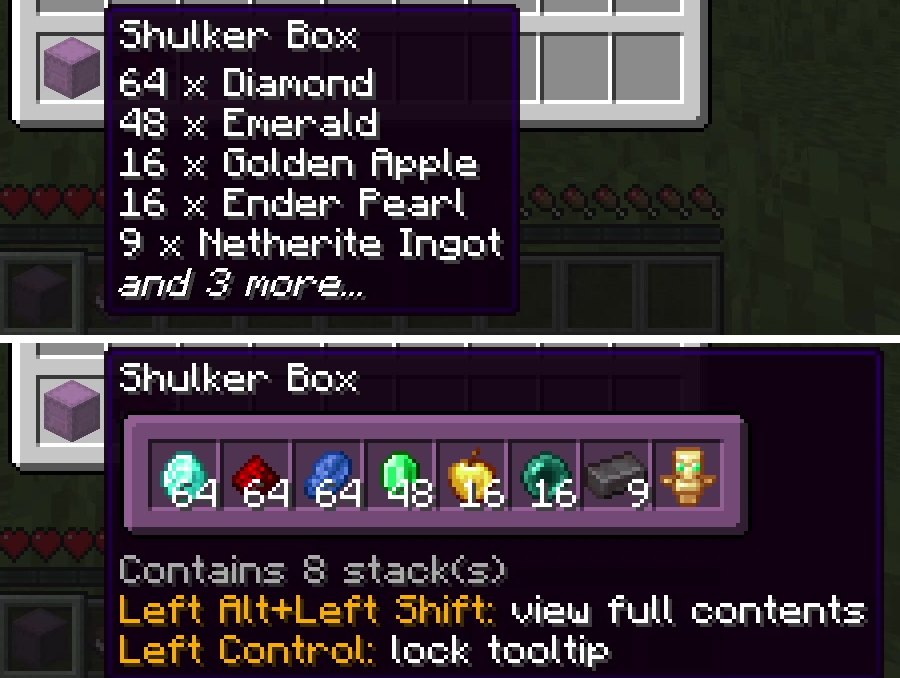
Hover over a shulker box in your inventory and vanilla lists only the first few items as text. With Shulker Box Tooltip, hold Shift and you see every slot as an icon with its count. Version 5.4.2 by MisterPeModder, needs Fabric API.
What I saw: the tooltip itself tells you what to press: “Left Shift” to view the contents and “Left Alt + Left Shift” for the full contents, where every stack sits in its real slot.
Settings: with Mod Menu, select ShulkerBoxTooltip in the mod list and click the gear icon. The config file is config/shulkerboxtooltip.json5. By default the preview window takes the color of the shulker box, which you can turn off. An option to show the loot table name of an item is there but off by default.
Compatibility: the preview also works for chests, furnaces and barrels you take with Ctrl and pick block in creative mode, and for most modded containers. If the server has the mod too, you get extras such as the ender chest preview; without it, the normal preview still works.
#3 Particle Rain
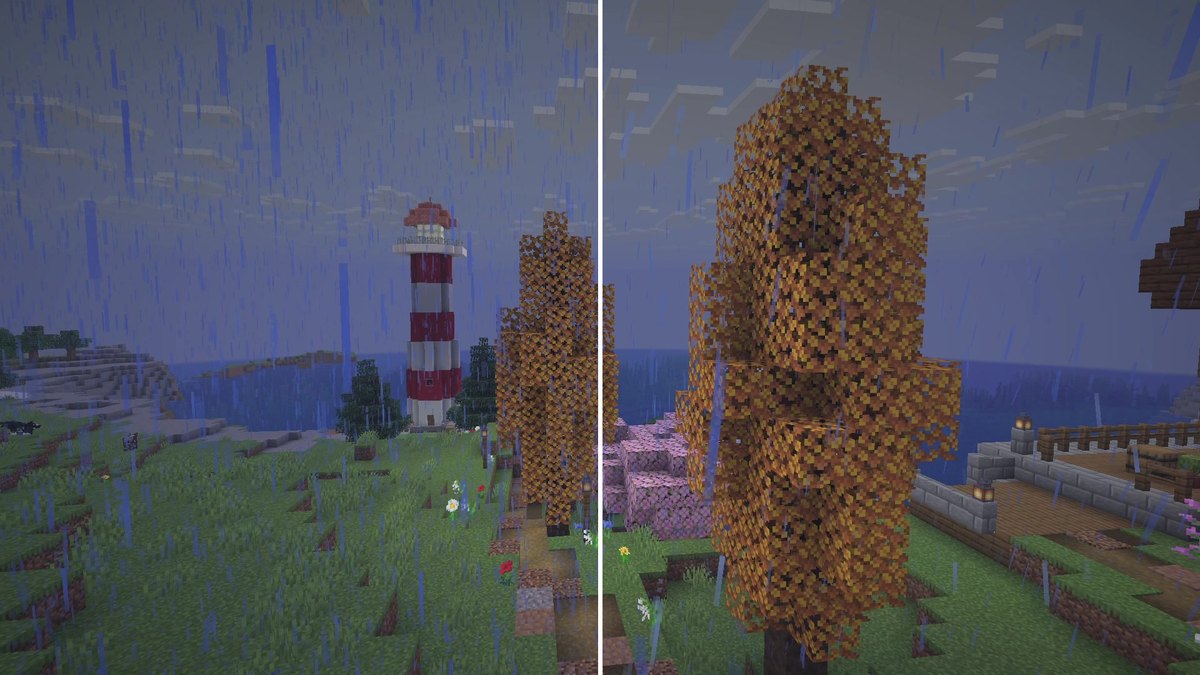
Particle Rain replaces the vanilla weather with particle effects: the rain falls at an angle, blown by the wind, and gets denser in a storm. Snow turns slowly as it falls, dust and shrubs blow through deserts, and fog rolls in in wet and spooky biomes. Version 4.0.2 by PigCart, needs Fabric API.
What I saw: at the lighthouse in my world, vanilla rain falls straight down in streaks. With the mod the same rain is made of particles and comes in at an angle, which makes the whole scene feel windier.
Settings: type /particlerain in game (or use Mod Menu) to open the config. You can disable effects, change them or create your own for specific blocks and biomes. Fog after rain is configurable too.
Resource packs and shaders: the rain and snow textures are generated from the game’s own weather textures, so the mod keeps working with resource packs. Shader support varies, and some shader packs don’t fully support particles.
Known conflicts (from the author’s list): with Particull the weather effects disappear, so remove Particull. With Particle Core, effects flicker; set its culling mode to bounding box or put the particles on its blacklist. With Complementary Astrocraft you get a black sun; disable “Sun/Moon during rain” in Complementary’s settings. Rain in deserts with season mods like Serene Seasons is a feature of those mods, not a bug.
#2 Carry On
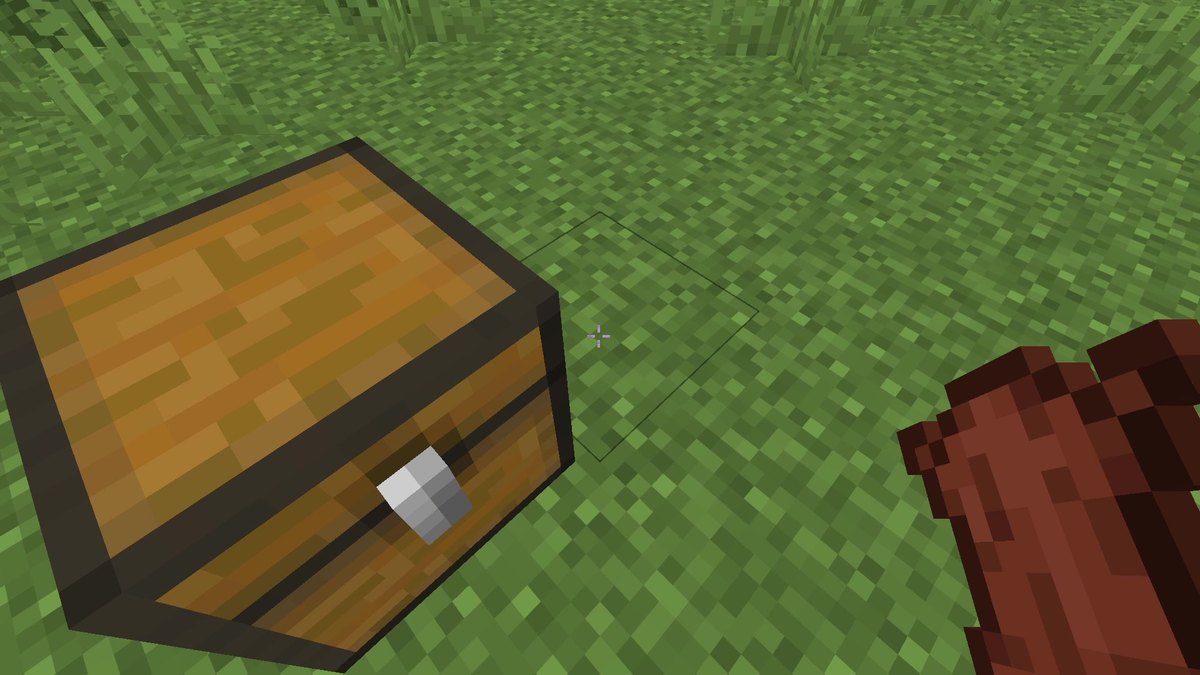
Sneak and right click a chest with empty hands, and you pick up the whole thing with everything inside. Right click to put it down again. It works with furnaces, spawners and other single-block storage, even from other mods, and with small mobs. Version 2.12.0 by Tschipp, needs Fabric API and has to be on the server too.
What I saw: the chest came up with one sneak and right click. The click has to land on the chest itself, which is a bit narrower than a full block, so in my recording I centered the crosshair on it.
Good to know: you can carry one block or mob at a time and can’t do anything else while carrying. Carrying slows you down, more so with a full inventory or a big mob. Locked containers stay locked, so nobody can carry off your chest. Smaller mobs can be stacked on bigger ones, and players can be carried as well.
Settings: the config can blacklist single blocks or whole mods. Picking up hostile mobs in survival is off by default, and carrying normal blocks like dirt is an option that is also off by default. The sneak key can be rebound.
If you’re stuck holding a block: if you can’t place something you picked up, /carryon clear removes it from your hands. If nothing happens at all on a server, check that the server has Carry On installed.
#1 Physics Mod
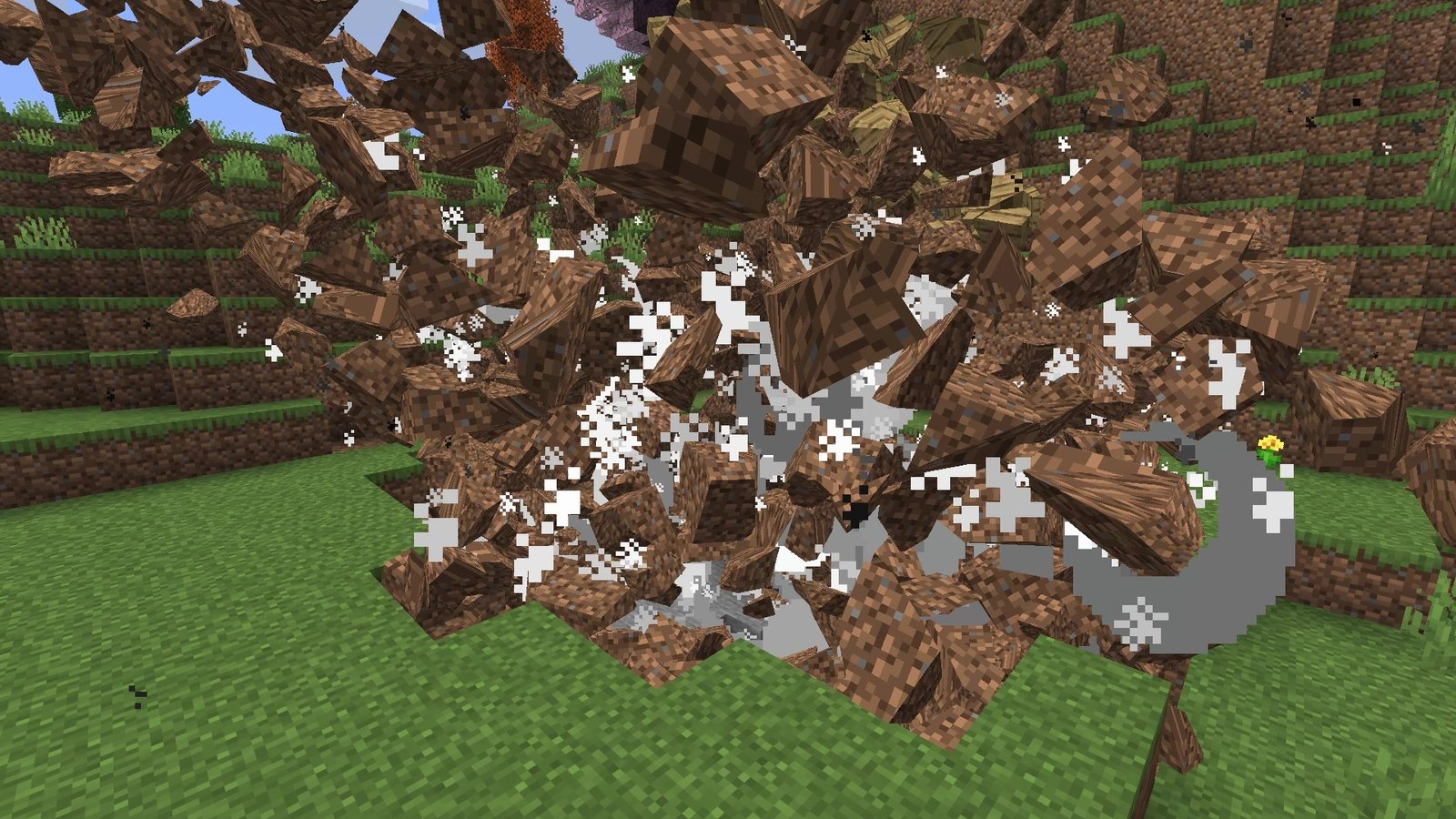
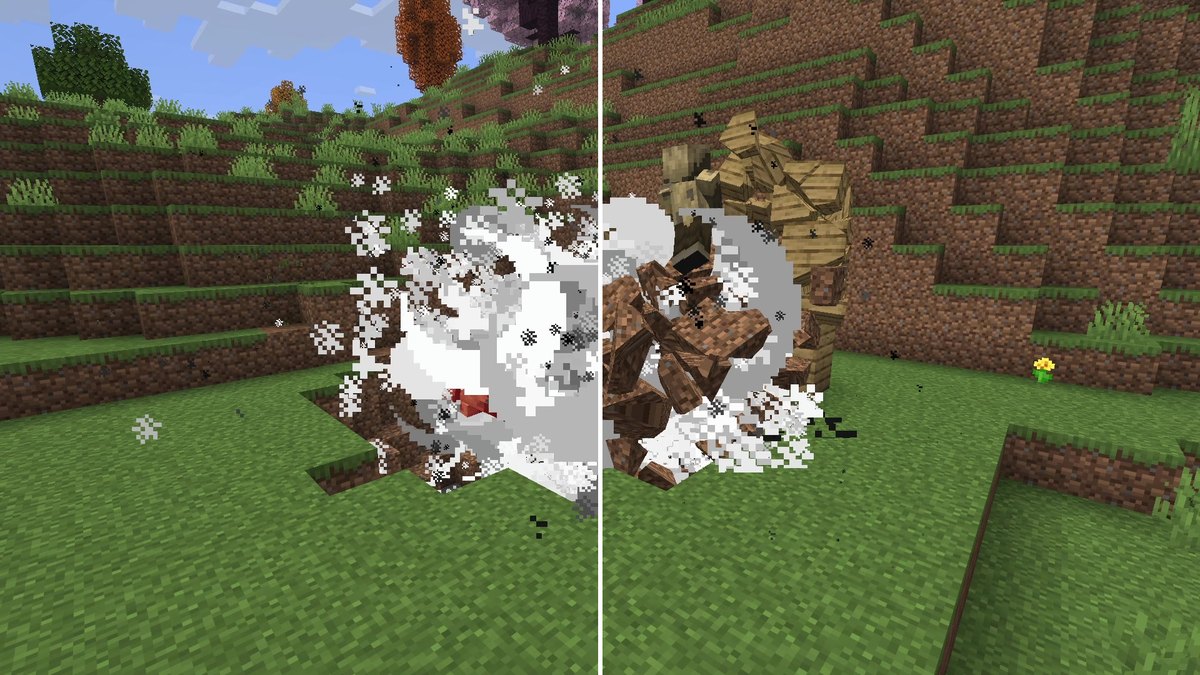
When a block breaks, Physics Mod breaks it into real pieces that fly, bounce and roll across the ground. Mobs get ragdolls too: according to the mod page, every vanilla mob supports ragdolls and fracturing. Version 3.2.5 by haubna, no other mods required.
What I saw: three TNT blocks next to a wall of planks threw chunks of dirt and wood all over the meadow, where vanilla only leaves a hole.
Performance: this is the heavy one. During the explosion my recorder caught 38 to 46 % duplicate frames, which means the game dropped below 60 fps for that moment, on an RTX 4070 Ti SUPER. It recovered once the pieces settled.
Compatibility: client-only and unsupported on servers. Version 3.2.5 also exists for Forge, NeoForge and Quilt on 26.3. It runs on Windows, Linux and macOS. The free version on Modrinth is what I tested; there is a separate Pro version on the author’s own site.
Troubleshooting
- The game crashes on start: a library is missing. Five of the seven need Fabric API, BetterF3 needs Cloth Config and Enchantment Descriptions needs Prickle. Match each file to Minecraft 26.3 and Fabric.
- No settings button: most of these mods show their settings through Mod Menu. Particle Rain also opens with
/particlerain, BetterF3 with F3 + M. - Carry On does nothing on a server: it has to be on the server and on your client.
- Chat heads missing on a server: switch Chat Heads to the “Heuristic only” detection mode.
- Black sun or flickering rain with Particle Rain: see the known conflicts in the Particle Rain section.
More fixes for common Fabric problems are in my Fabric install guide.
Alternatives
More mods in the same spirit, each with its own page on this site:
- Jade shows what you’re looking at, from crop growth to the right tool.
- AppleSkin shows how much hunger and saturation every food restores, in the tooltip and on your hunger bar.
- Zoomify gives you a smooth zoom key, better than the spyglass for scouting.
How to install them
- Install Fabric for Minecraft 26.3 and Fabric API.
- Add the helpers where needed: Cloth Config for BetterF3 and Prickle for Enchantment Descriptions. Mod Menu is optional and gives most of them a settings button.
- Download the mods you want from the official Modrinth pages above and drop them into your mods folder.
- On a server, install Carry On on the server as well. The other six only go on your client.
Every step is in my guide How to install Fabric mods in Minecraft 26.3.
Verdict
- Install in every survival world: Shulker Box Tooltip and Enchantment Descriptions. Small, client-side, and you’ll miss them in vanilla.
- For servers: Chat Heads, if many people talk. In singleplayer it does nothing.
- For technical players: BetterF3, if you live in F3.
- For atmosphere: Particle Rain. Purely visual, check the conflict list if you use shaders.
- Biggest change to how you play: Carry On, but your server needs it too.
- Pure fun: Physics Mod. Great to watch, heavy on the frame rate in big explosions.
Real in-game screenshots from Minecraft 26.3 (Fabric), recorded on October 15, 2026 in The Mod Hunter's world Valley of Mods. Every comparison uses the same camera, once in vanilla and once with the mod.
FAQ
Do these mods work on Minecraft 26.3?
Yes. All seven have a Fabric release for Minecraft 26.3 on Modrinth (checked on October 15, 2026, and again on October 22, 2026 with no newer 26.3 release), and all seven ran together in one Fabric instance for this test.
What else do I need to install?
Fabric Loader and, for five of them, Fabric API. BetterF3 also needs Cloth Config, and Enchantment Descriptions needs Prickle. Chat Heads and Physics Mod list no required mods. The full list is in the table at the top.
Do they work on servers?
Six of the seven are client-side, so you can use them on any server. Carry On has to be installed on the server and on every client. Shulker Box Tooltip can optionally go on the server too, which adds extras like the ender chest preview.
Does Physics Mod cost performance?
Yes, explosions with many flying pieces are heavy. During my TNT test the game dropped below 60 fps for a moment and then recovered. For mods that make the game faster, see my FPS test.
Can I carry mobs with Carry On?
Yes. Sneak and right click a mob with empty hands. By default you can’t pick up hostile mobs in survival mode, and you can change that in the config.
Can I use Chat Heads with OptiFine?
No. The author lists it as incompatible with newer OptiFine versions and recommends Sodium instead. My Sodium guide shows the setup.
Why are Dynamic Crosshair and Falling Leaves not on the list?
I filmed both. Dynamic Crosshair changes the crosshair so subtly that it was too small to see in the recording. Falling Leaves added little, because vanilla has dropped its own falling leaf particles since 1.21.5. Both are in my tier list in C tier.