Best Hytale Mods for Update 7 (0.7)
5 Hytale mods that already work in Update 7
Update 7 broke plenty of Hytale mods. These five had an Update 7 build on release day, and I tested all of them in 0.7: Simple Enchantments, Zephyr, Perfect Parries, Wan's Wonder Weapons and BetterMap. Plus my full guide to installing Hytale mods and fixing the common problems.
Tested on Hytale 0.7 (Update 7), October 13, 2026, in a test world with all five mods, combat and gliding in Adventure mode. How I test
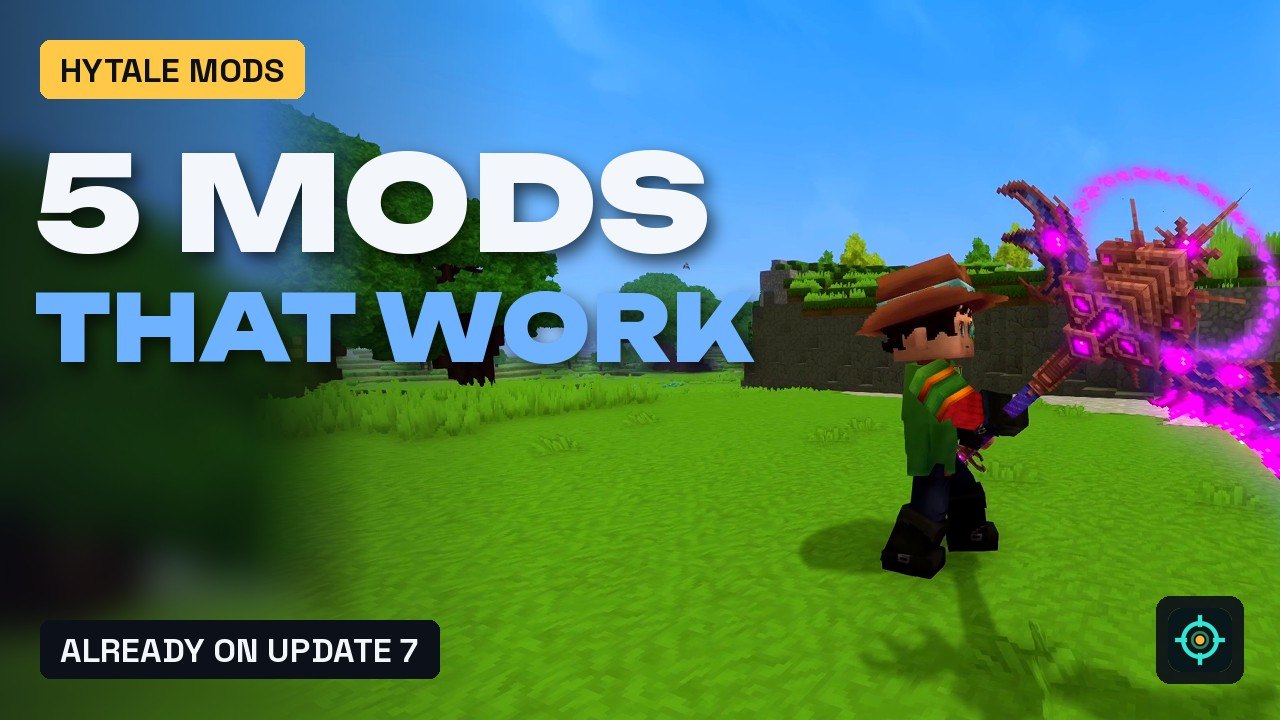
Update 7 removed a lot of old server code that mods relied on, and plenty of Hytale mods stopped loading. These five had an Update 7 file on CurseForge on release day, and I tested all of them in Hytale 0.7 the next morning: a full enchanting system, a movement kit with a glider, real parries, a set of relic weapons and a much better map. If you only install one, make it BetterMap. Below the list you’ll find my full guide to installing Hytale mods and fixing the usual problems.
 1:36
1:36 The short version
5 Hytale Mods That Already Work in Update 7
Playing loads the video from YouTube (privacy-enhanced mode), which may set cookies and process your data. Details.
The five mods at a glance
| Mod | What it adds | I tested | Newest on Oct 22 | Best for |
|---|---|---|---|---|
| #5 Simple Enchantments | Enchanting Table, 30+ enchantments on scrolls | 1.2.1 | 1.2.1 | Survival progression |
| #4 Zephyr | Glider, updrafts, dash, double jump, grapple, ziplines | 0.4.1 | 0.4.2 (Oct 18) | Movement and exploring |
| #3 Perfect Parries | Parries, posture, stuns, counterattacks | 0.9.7 | 0.9.8 (Oct 18) | Combat |
| #2 Wan’s Wonder Weapons | Relic weapons with signature abilities | 1.1.1 | 1.1.1 | Mid and late game |
| #1 BetterMap | A map that remembers, waypoints, death markers, cave mode | 1.3.9 | 1.3.10 (Oct 20) | Everyone |
None of the five needs another mod. Like every Hytale mod, they run on the server, and in single player that server is your own world. More on that in my install guide below.
How I picked and tested them
- The rule: a file tagged for game version 0.7 (Update 7) on CurseForge. On the evening of release day, October 12, 2026, I went through the most downloaded Hytale mods and opened the Files tab of every candidate. Tip: the version label in CurseForge’s search list only shows the main file. Perfect Parries, Wan’s Wonder Weapons and Zephyr still showed 0.6 there but already had a 0.7 file.
- The test: on October 13, 2026 I installed all five in a test world, a copy of my recording world, together with the camera plugin I record with, and played them in Hytale 0.7. Goblins were spawned with commands.
- Adventure mode for combat: in Creative mode, weapon swings, blocking and parrying and the glider didn’t work in my test. In Adventure mode everything did.
- The order is my own pick, not a download ranking.
- Rechecked on October 22, 2026: BetterMap, Zephyr and Perfect Parries have newer Update 7 files since my test (see the table). I haven’t tested those yet.
#5 Simple Enchantments
Simple Enchantments by Herolias adds an Enchanting Table. According to the mod page you need a fully upgraded Workbench to craft it, and the table itself upgrades through four tiers. At the table you craft enchantment scrolls for armor, tools, melee and ranged weapons; hold a scroll, right-click and pick the item you want to enchant. There are more than 30 enchantments, from Sharpness and Protection to Fortune and Smelting, most with three levels, and some do more than add numbers: Burn sets enemies on fire. The Engraving Table renames items and changes the color of the enchantment glow, and /enchanting in game gives you a walkthrough.
How I set it up: I placed the table, opened the Melee tab and crafted a Sharpness I scroll, which took about 2.5 seconds and landed in my next free hotbar slot. Holding the scroll and right-clicking opened “Enchant Item”, where I picked the sword. Burn wasn’t available at my tier 1 table, so for the clip I gave myself the Burn I scroll with a command.
Version: I tested 1.2.1 (October 12, game version 0.7), still the newest on October 22. Over 250,000 downloads.
Needs: nothing. The old Dynamic Tooltips Lib was only needed up to version 1.0.0.
Runs on: the server or your own world. The /enchant command needs operator rights; everything else works without. Admins get a settings window with /enchantconfig.
Known issues (mod page): the Durability enchantment doesn’t work together with SimpleStackSizeManager or mods that switch durability off.
Works with: Perfect Parries (#3) unlocks two extra enchantments, Riposte and Coup de Grâce.
Simple Enchantments on CurseForge
#4 Zephyr
Zephyr by narwhals is a movement mod. The glider lets you dive to build speed and pull up to soar, and a Zephyr Stone creates an updraft column. The Karambit dagger adds a dash (its ability 2), a double jump (ability 3), wall jumps (guard bash against a wall in mid-air) and a grappling hook (its signature), the Kunai can teleport, and with zipline anchors you can build your own ziplines.
How I set it up: the Zephyr Stone only lifts you with the glider open. What worked for me: step onto the stone, jump, and open the glider right away. The grappling hook didn’t visibly pull me in my recording, so it isn’t in the video.
Version: I tested 0.4.1 (October 12). Version 0.4.2 followed on October 18; I haven’t tested it yet. Over 140,000 downloads.
Needs: nothing.
Runs on: the server or your own world. /zephyr shows every player the current settings, and admins change them live with /zephyr settings.
Known issues: none listed on the mod page. The author takes bug reports on Discord or as a CurseForge message.
Works with: Wan’s Wonder Weapons (#2), which uses Zephyr for some abilities.
#3 Perfect Parries
Perfect Parries, also by narwhals, makes blocking matter. Block right before an attack lands and you parry it: the damage is cancelled, part of it is reflected, and the enemy loses posture. A perfectly timed guard bash becomes a Charged Parry, the only thing that stops attacks marked as heavy. Break an enemy’s posture completely and it’s stunned; after 2 seconds a red circle marks the window for a critical strike. Right after a parry you also get a short counterattack window, PvE and PvP use separate parry rules, and NPCs that guard can parry you too.
How I set it up: the default parry window is short, 200 ms. For the recording I widened it to 600 ms in the world’s config (parryWindowMs) and lowered blockSpamCooldownMs from 500 to 100, so every block in the clip turned into a parry. The posture bar shows as a number above the enemy, 65/100 in my screenshot below.
Version: I tested 0.9.7 (October 12). Version 0.9.8 followed on October 18; I haven’t tested it yet. Over 575,000 downloads.
Needs: nothing.
Runs on: the server or your own world. /pp shows the settings, /pp settings is the admin configuration, and /pp effects picks the parry effects.
Known issues: none listed on the mod page.
Works with: Simple Enchantments (#5), plus Keb’s Katanas and MMO Skill Tree from my second Update 7 list.
#2 Wan’s Wonder Weapons
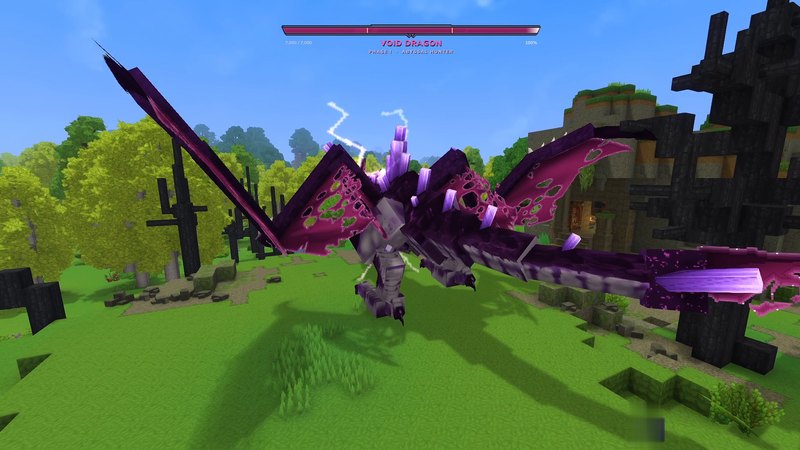
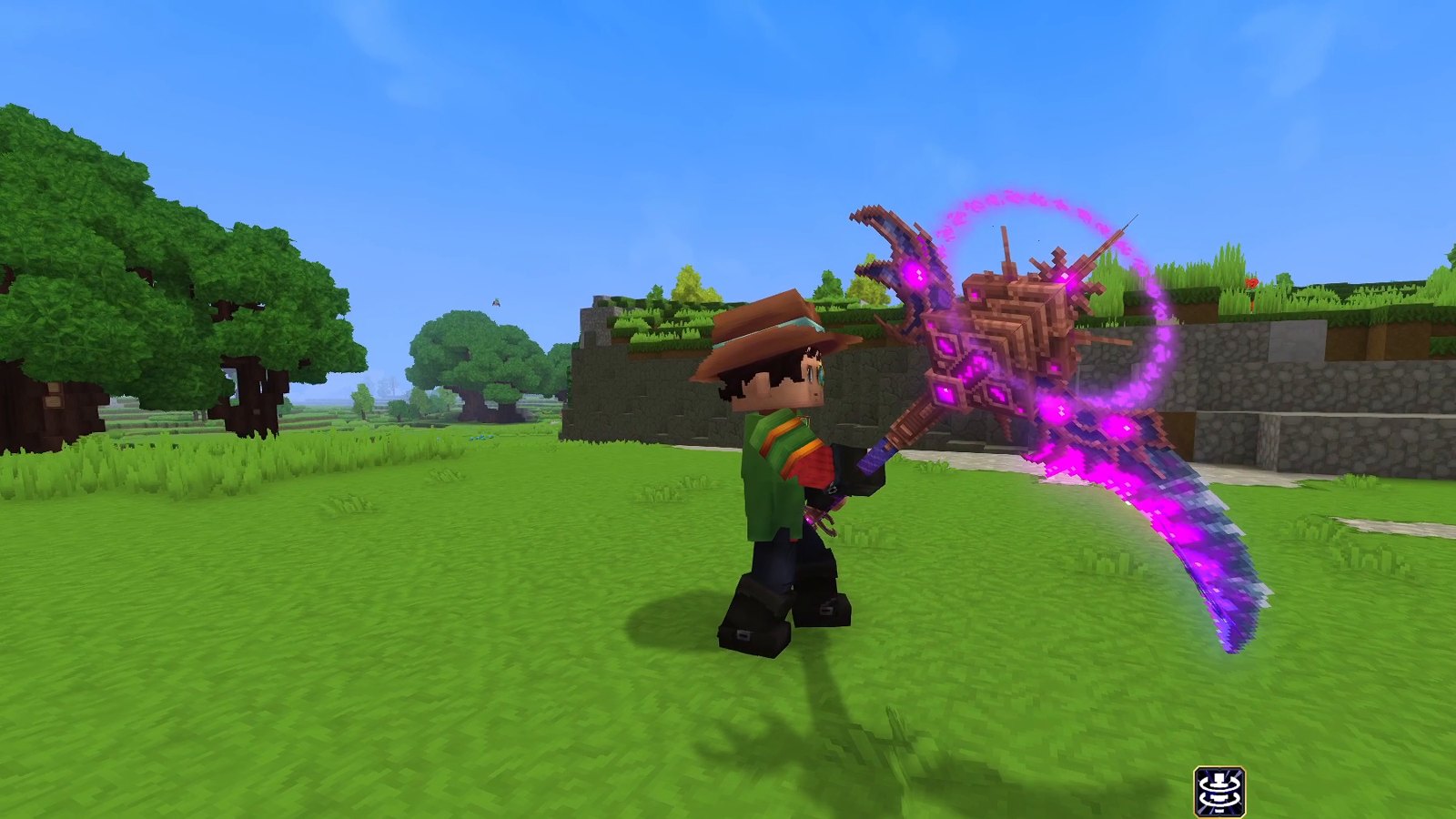
Wan’s Wonder Weapons by WanMine is a collection of relic weapons for the mid and late game, each with its own look, effects and a short piece of lore: Mjollnir, the Void Requiem scythe, Gaia’s Wrath, the Chromatic Cleaver, Quasar Cosmic, God Slayer and more. All of them are Relic quality and crafted at the Weapon Bench. A signature bar fills while you fight; when it’s full, press Q to unleash the weapon’s ability. Several weapons have extra abilities on top, like the Void Requiem’s teleport.
How I set it up: I recorded Mjollnir, Void Requiem, Gaia’s Wrath, the Chromatic Cleaver and Quasar Cosmic on the meadow of my test world.
Version: I tested 1.1.1 (October 12), still the newest on October 22. Over 650,000 downloads.
Needs: nothing. Zephyr (#4) is optional; the mod page says some abilities use it, for example the vanish of the Eclipsebound daggers.
Runs on: the server or your own world. Admins change damage and recipes with /www settings.
Known issues: none listed on the mod page.
Wan’s Wonder Weapons on CurseForge
#1 BetterMap
BetterMap by Team Ninesliced fixes Hytale’s map. According to its authors, the built-in map only shows a small area around you and forgets where you’ve been. BetterMap remembers everything you’ve explored, so you can zoom far out and see your whole world. It adds personal and shared waypoints, death markers, a cave mode, a coordinates display and a player radar on the compass, and you can teleport to markers straight from the map if the server allows it.
How I set it up: /bm opens the settings window with three tabs: Player Settings, Admin Settings and Help. My personal zoom range was 10 to 256, and cave mode was switched on. One thing I noticed in that window: hiding other players’ warps needs the ExtendedTeleport mod, and BetterMap says so right there.
Version: I tested 1.3.9 (October 12). Version 1.3.10 followed on October 20; I haven’t tested it yet. Over 940,000 downloads, the most of these five. Open source under AGPLv3.
Needs: nothing.
Runs on: the server or your own world. The map data is saved per world in mods/bettermap/data. Teleporting from the map needs operator rights or the permission bettermap.command.teleport. Admins choose the map quality (LOW, MEDIUM or HIGH, MEDIUM by default); changing it needs a server restart.
Good to know (mod page): BetterMap counts servers and players with hstats. You can opt out in the admin settings or by setting enable=false in hstats-server-uuid.txt in the mod’s folder.
How to install Hytale mods
This is my full guide. My other Hytale pages link here instead of repeating it.
Where Hytale mods run
Hytale has no mod loader like Fabric or Forge. Every mod runs on the server: even in single player, Hytale starts a small local server just for you. Hypixel Studios says you should be able to join any modded server without downloading a single mod, and they don’t plan to support client mods. So you only install mods on the server, or for the world you play or host yourself.
Option 1: the in-game mod browser
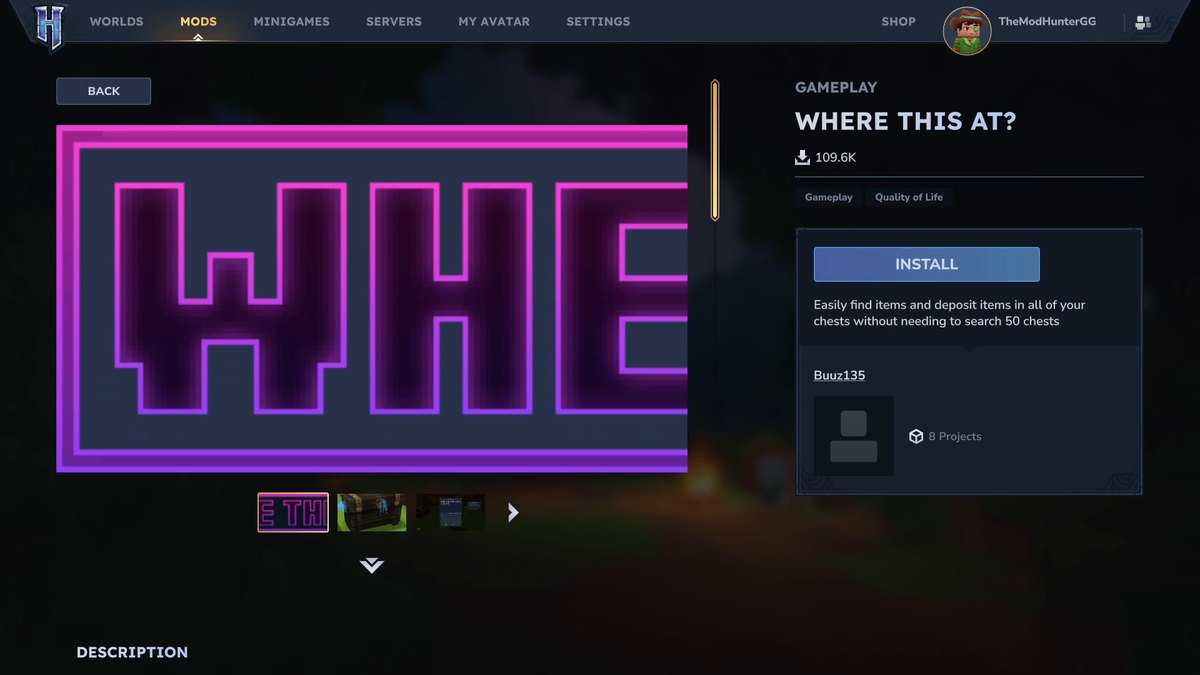
Since Update 6, Hytale has its own mod browser. Click Mods in the main menu. The tabs are Discover, Browse and My Library, with a search bar on top. Every mod page shows a description, screenshots, the download count, the supported game versions and an Install button. My Library lists what you’ve installed and lets you update or remove it. There are no paid mods in the browser.
Option 2: the CurseForge app
In the CurseForge app, pick Hytale, find a mod under Discover or Browse and click Install. Your installed mods are under My Mods. Start the game from the app with Run Game or from the official launcher.
Option 3: by hand
Download the file (.jar or .zip) from the mod’s official CurseForge page and put it into Hytale’s UserData/Mods folder. On Windows that’s %APPDATA%\Hytale\UserData\Mods. Mods in this folder show up for all your worlds; you still switch them on per world (next step). On a dedicated server, the mods folder sits next to HytaleServer.jar; restart the server after adding a mod.
Switch the mod on for your world
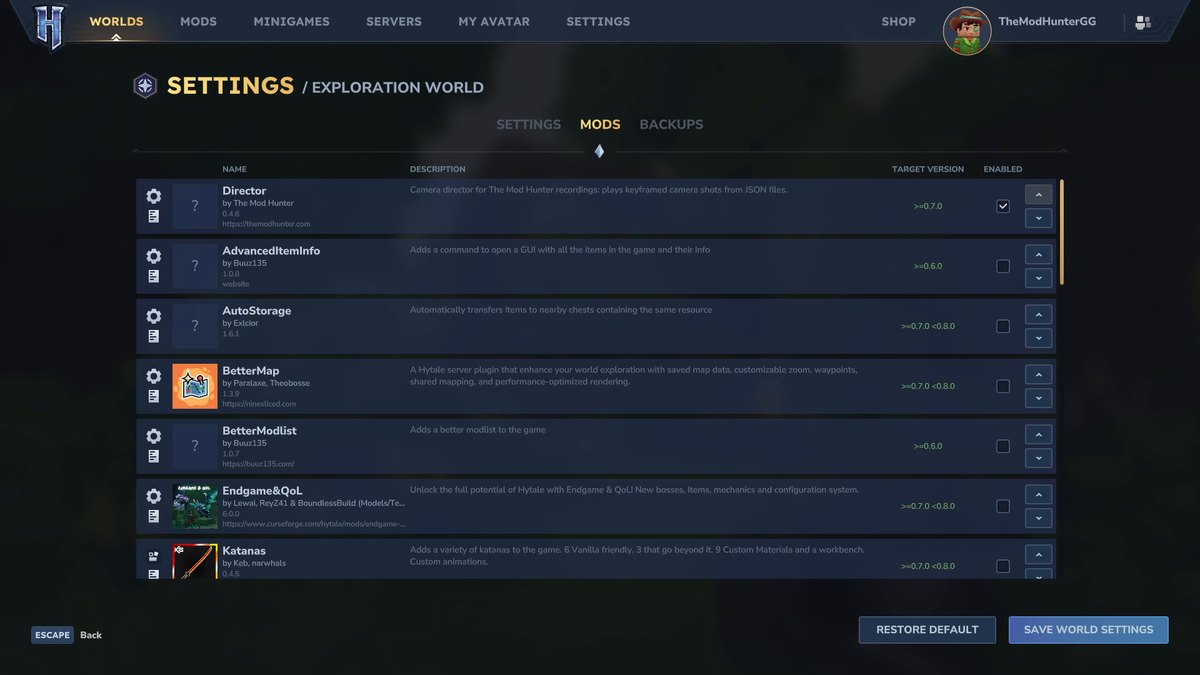
Installing isn’t enough: every world keeps its own mod list. For an existing world, go to Worlds, right-click the world, open the Mods tab, tick the mod and click Save World Settings. For a new world, click the settings cog in Create World, pick the mods and click Apply Settings.
Check that it loaded
Type /modlist with Better Modlist installed for a searchable list of everything in your world, or /plugins for the list of loaded plugins. Most mods also answer their own command, like /bm for BetterMap or /pp for Perfect Parries.
Troubleshooting
- A mod doesn’t load or crashes the world after Update 7: only use mods with a file for 0.7. Update 7 removed a lot of old server code that plugins used, so older builds can fail to load. The author of RPG Leveling puts it plainly: outdated mods can fail to load or crash the server, so keep only mods confirmed for 0.7.0 and disable the rest until they’re updated.
- The mod is installed but does nothing: check that it’s ticked in your world’s Mods tab and saved. Then look at the Target Version column there.
- The Install button in the mod browser is greyed out: since hotfix 0.7.1 (October 13), mods whose authors don’t allow in-game downloads show a disabled Install button with an explanation. Download those directly from the official CurseForge page.
- Two versions of the same mod: keep only one .jar of each mod in the Mods folder. Vein Mining’s FAQ names duplicate files as a common cause when a mod doesn’t work.
- A world won’t start after a mod update: some mods keep their settings per world, in
UserData\Saves\<your world>\mods. Vein Mining’s FAQ fixes this by deleting its own folder there (EineNT_VeinMining), which it recreates with fresh settings. Check your mod’s page before deleting anything. - A command says you have no permission: admin settings and some features need operator rights or a permission on servers. Adoa’s Minimap’s page, for example, asks you to make yourself operator in your own world before you use its settings.
- Back up first: Hypixel Studios recommends frequent backups of your saves during Early Access, and RPG Leveling’s author recommends backing up your mods folder and worlds before every big Hytale update.
More Hytale pages
- 5 more Hytale mods that work in Update 7: Endgame & QoL, RPG Leveling, MMO Skill Tree, Vein Mining and Keb’s Katanas.
- Everything new in Hytale Update 7: goblins, runestones, the Deepworks and the Gobliterator.
- Everything that changed in Hytale since launch, Update 1 to Update 7, for players coming back after a break.
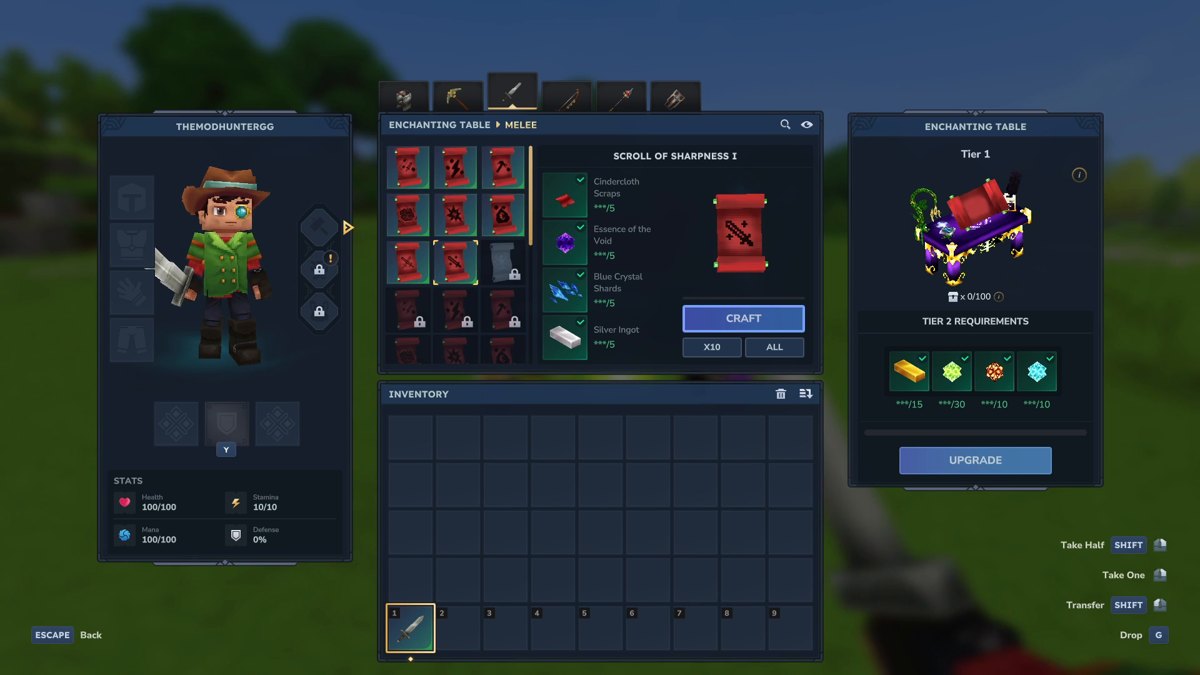
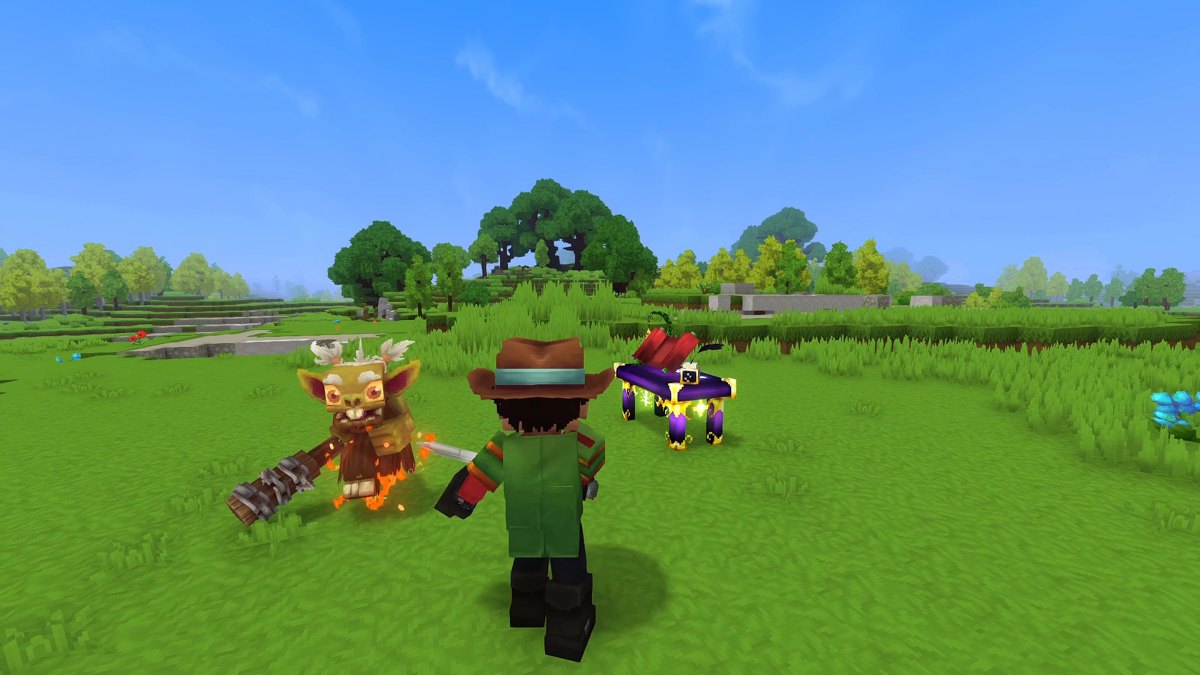
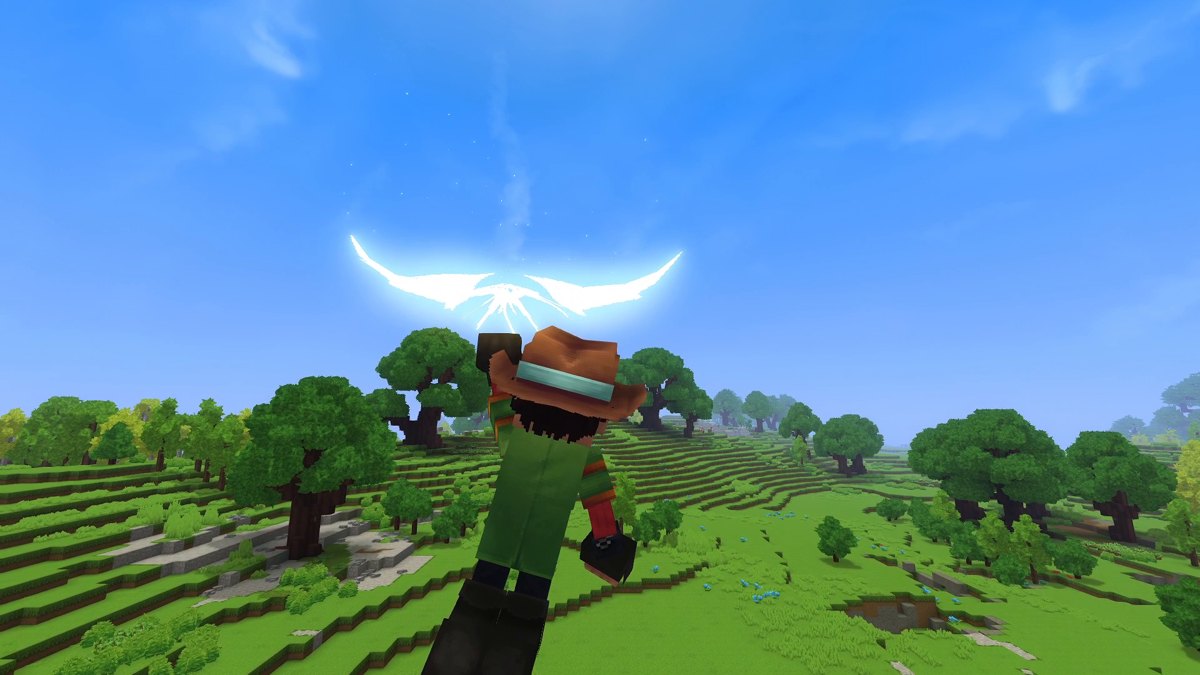
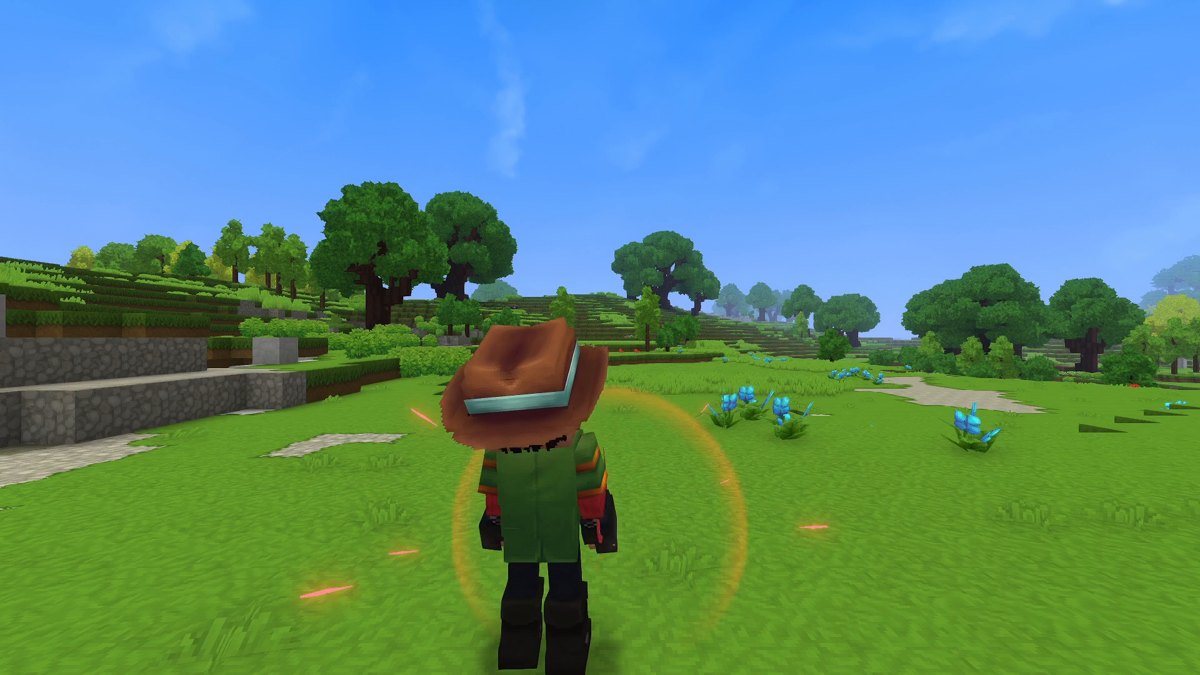
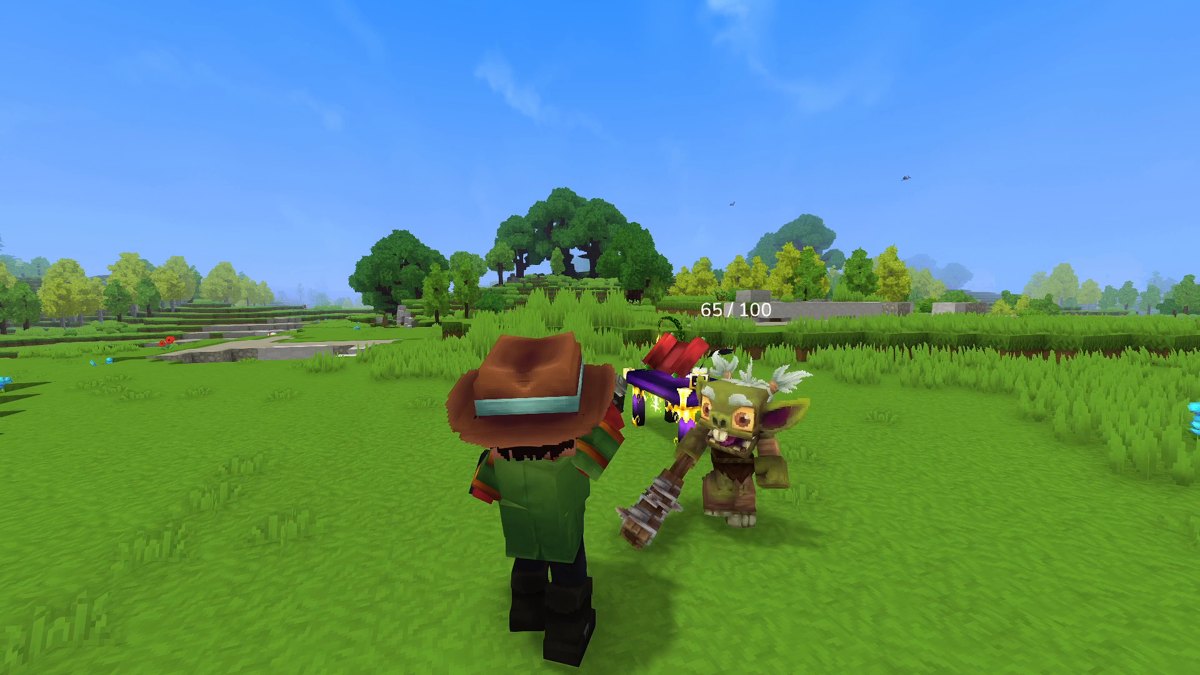
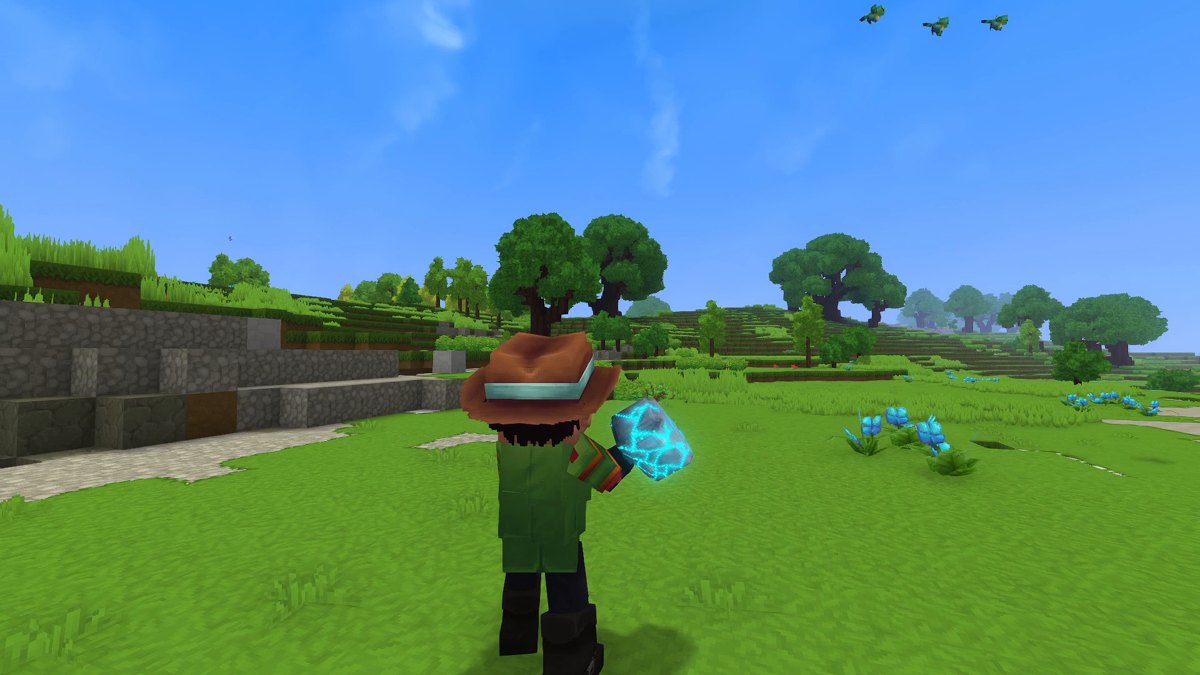
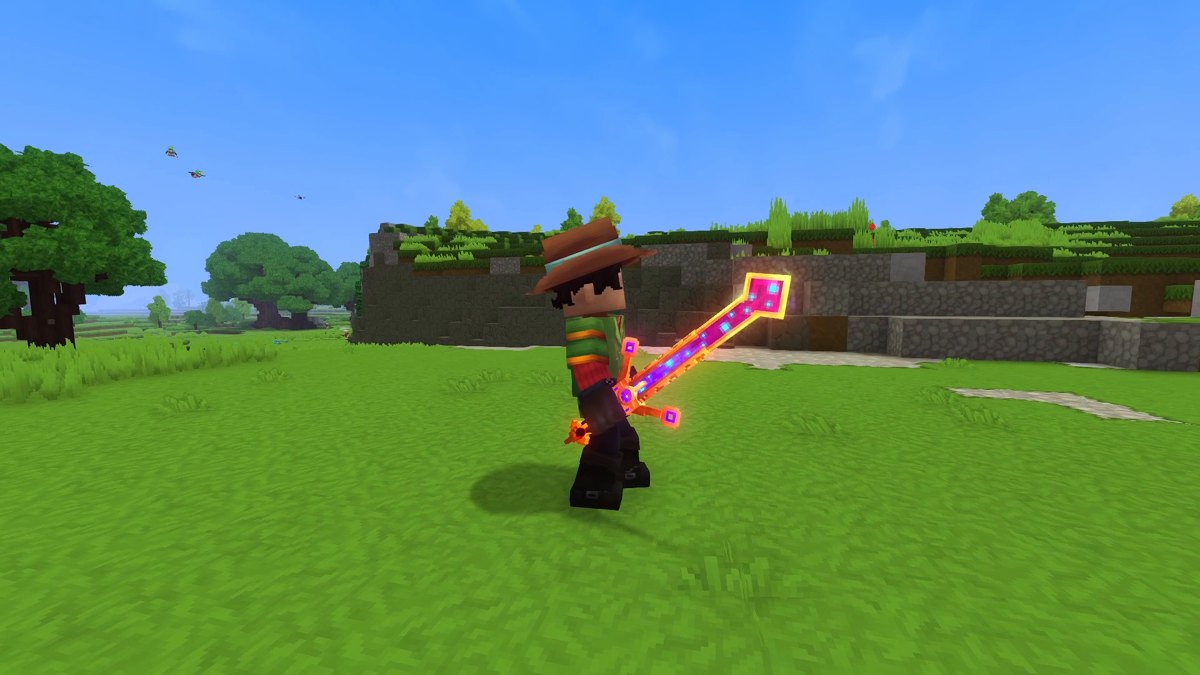
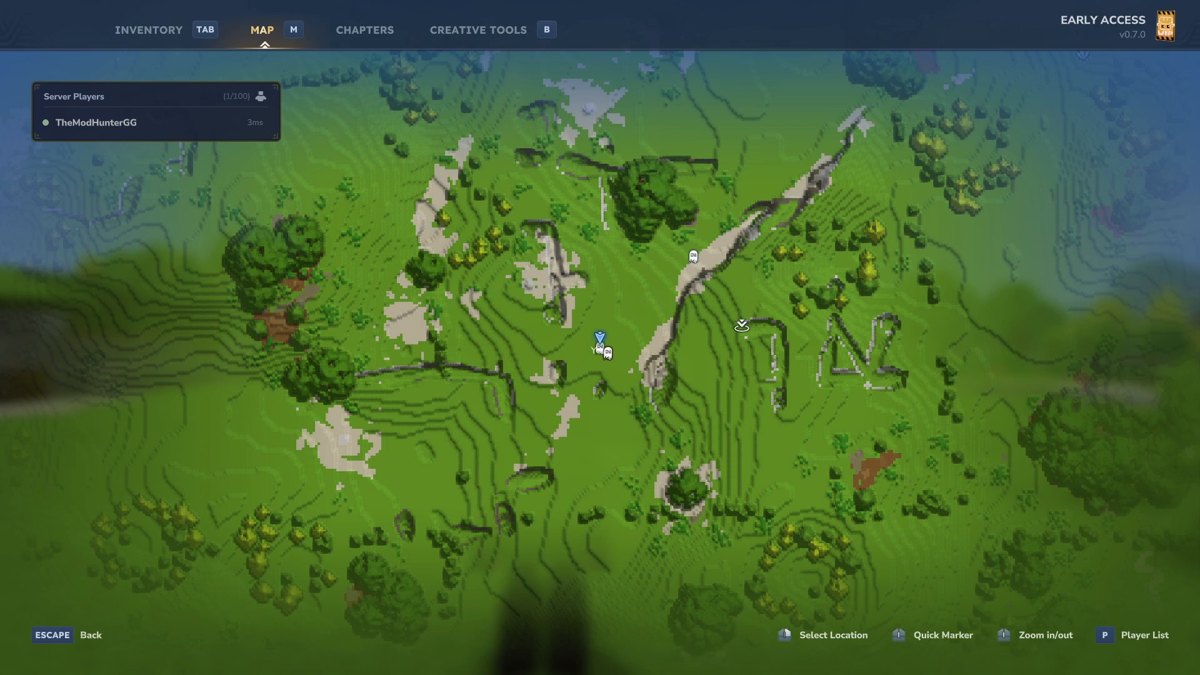
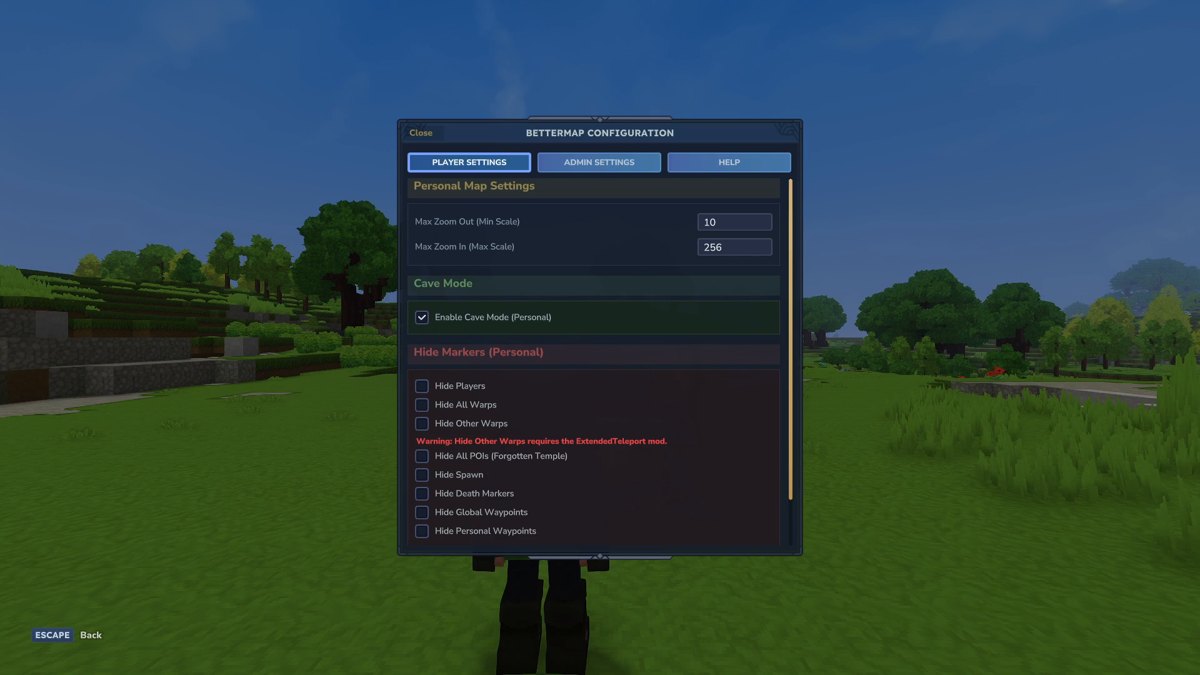
Real in-game screenshots from Hytale Update 7 (0.7), recorded in The Mod Hunter's mod test world on October 13, 2026. Enemies were spawned with commands.
FAQ
Do these mods work in Hytale Update 7?
Yes. All five had a file for Update 7 (game version 0.7) on CurseForge on release day, October 12, 2026, and I tested every one of them in Hytale 0.7 on October 13. BetterMap, Zephyr and Perfect Parries have released newer Update 7 files since then, which I haven’t tested yet.
How do I install Hytale mods?
Click Mods in Hytale’s main menu, search for the mod and click Install, then switch it on in your world’s settings (Mods tab, then Save World Settings). The CurseForge app and the manual way through the UserData/Mods folder work too. All steps and fixes are in my install guide further up this page.
Do my friends need these mods to join my world or server?
No. Hytale mods run on the server, and Hypixel Studios says you should be able to join any modded server without downloading mods yourself. In single player your world runs on a small local server, so you only switch the mods on for that world.
How did you pick them?
I went through the most downloaded Hytale mods on CurseForge and only kept mods with an Update 7 file. The order is my own pick, not a download ranking.
Were the parries in the video this easy?
No. Perfect Parries uses a short parry window by default (200 ms). For the recording I widened it to 600 ms in the mod’s config, so every block in the clip turns into a parry. You can tune it the same way.
Which popular mods are missing?
When I picked these five on the evening of October 12, EyeSpy, Endgame & QoL, Vein Mining and MMO Skill Tree had no Update 7 file yet. Endgame & QoL, Vein Mining and MMO Skill Tree got one later that night, and they’re in my second Update 7 list. EyeSpy still had no Update 7 file on October 22; its newest file, from September 1, is tagged 0.6.
Sources
- BetterMap, CurseForge
- Wan's Wonder Weapons, CurseForge
- Perfect Parries, CurseForge
- Zephyr, CurseForge
- Simple Enchantments, CurseForge
- Update 6 Patch Notes (in-game mod browser), hytale.com
- Hotfixes: Update 7 (0.7.1 to 0.7.3), hytale.com
- Modder-Facing Patch Notes (Update 7), hytale.com
- Hytale Modding Strategy and Status, hytale.com
- How to Install Mods for Hytale, CurseForge blog
- RPG Leveling (update notes for 0.7.0), CurseForge
- Vein Mining (troubleshooting and FAQ), CurseForge
- Repair Workbench documentation: installation
- EyeSpy, CurseForge
What changed
- Added a comparison table, how I picked and tested the mods, how I set up each one, tested and newest versions, commands, known issues from the official pages, and a full guide to installing Hytale mods with troubleshooting.
- First published.