Entity Culling: Download and Install Guide (26.3)
Entity Culling: more FPS in Minecraft 26.3 by skipping what you can't see
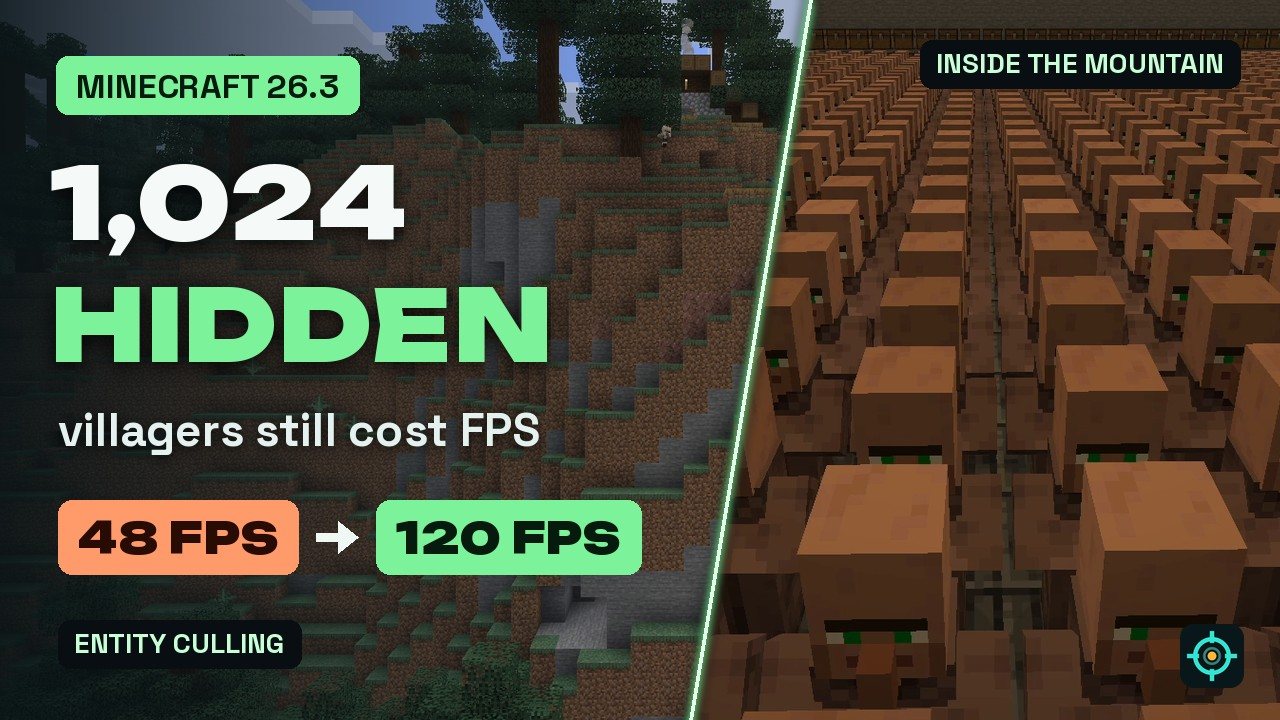
Vanilla Minecraft still renders mobs and chests hidden behind walls and mountains. Entity Culling checks the real line of sight and skips them. In our test the same flight went from about 48 to a steady 120 FPS.
 1:36
1:36 The short version
Entity Culling for Minecraft 26.3
Playing loads the video from YouTube (privacy-enhanced mode), which may set cookies and process your data. Details.
Vanilla Minecraft skips what’s behind you, but it still renders mobs and chests hidden behind walls, ceilings and whole mountains. Entity Culling checks what you can actually see and skips the rest. Version 1.11.2 is out for Minecraft 26.3 on Fabric and NeoForge.
Our test: 1,024 villagers inside a mountain
We sealed a vault with 1,024 villagers and 294 chests inside a mountain next to our base, then flew the same camera path twice, once in vanilla Minecraft 26.3 and once with Entity Culling 1.11.2. From outside you can’t see a single villager.
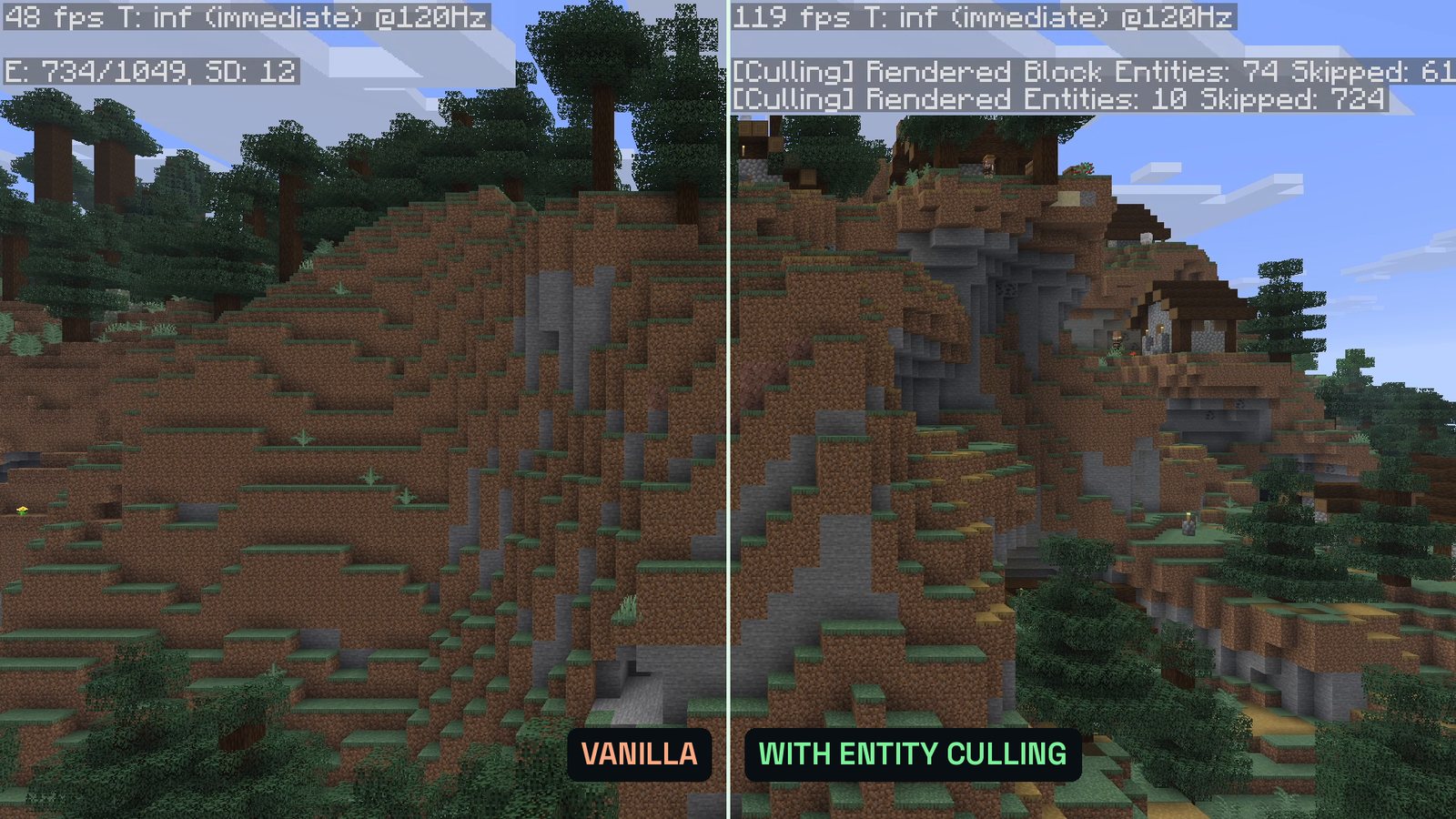
- Vanilla: the F3 screen counts around 730 rendered entities, and the frame rate sits between about 45 and 50 FPS.
- With Entity Culling: its own F3 lines show around 720 entities and about 60 block entities (chests) skipped, and the game holds a steady 120 FPS.
Numbers from our PC; your gain depends on your hardware, the number of entities and where you are. Once you look at the villagers from inside the vault, both versions render them as usual.
What Entity Culling does
- Skips hidden entities and block entities: mobs, item frames, chests and other block entities that are hidden behind blocks are not drawn.
- Real line of sight: the visibility check traces paths asynchronously on spare CPU cores, without blocking the main game thread, and updates in real time to keep pop-ins to a minimum.
- Tick culling: hidden entities also skip their client-side ticks (on by default, can be turned off).
- Works with Sodium: Sodium checks visible chunks, Entity Culling also skips entities inside visible chunks that are still hidden.
Good to know
- Settings: whitelist entities and block entities that should always render (the beacon is whitelisted by default), and turn on Solid leaves to treat leaves as solid in dense forests.
- Very old PCs: if your CPU is already maxed out, there is no spare CPU time for the checks and the mod can’t help much.
- Client only: the server doesn’t need it, and farms and mob behavior stay the same.
Entity Culling for Minecraft 26.3
The current release is Entity Culling 1.11.2 for Minecraft 26.3, on Fabric and NeoForge since September 21, 2026. The Fabric version requires Fabric API. Entity Culling is made by tr7zw and has over 176 million downloads on Modrinth.
How to install Entity Culling
- Install Fabric or NeoForge for Minecraft 26.3.
- On Fabric, add Fabric API to your
modsfolder. - Download Entity Culling 1.11.2 for 26.3 from Modrinth and put it into your
modsfolder.
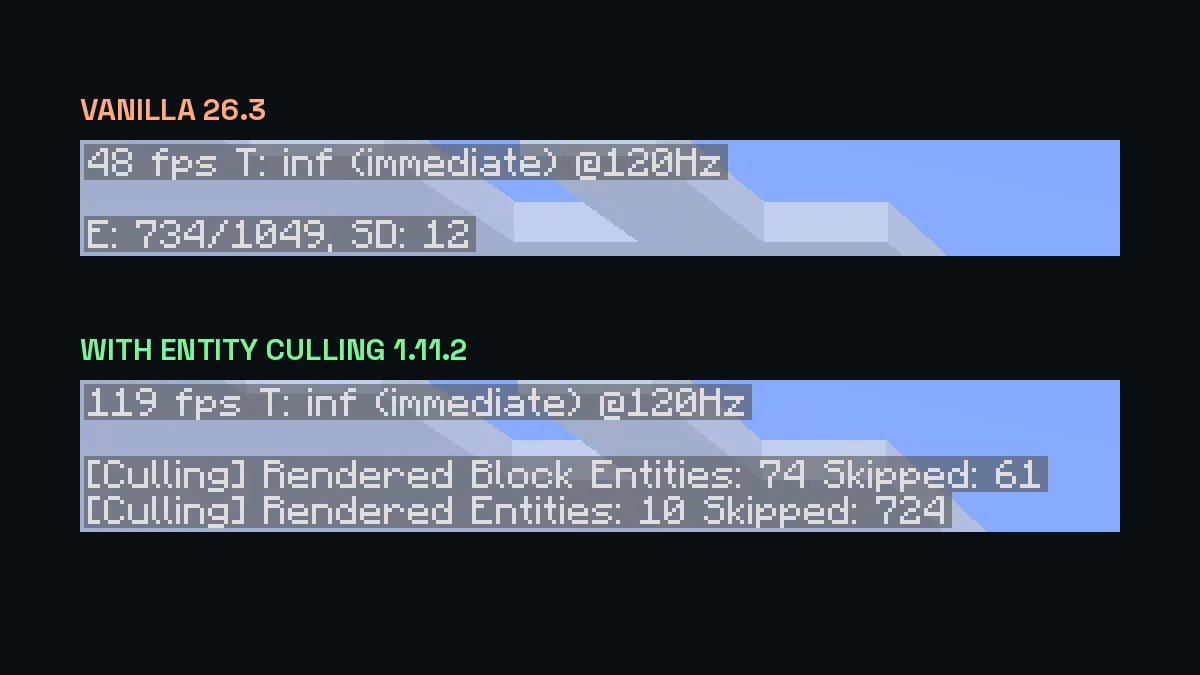

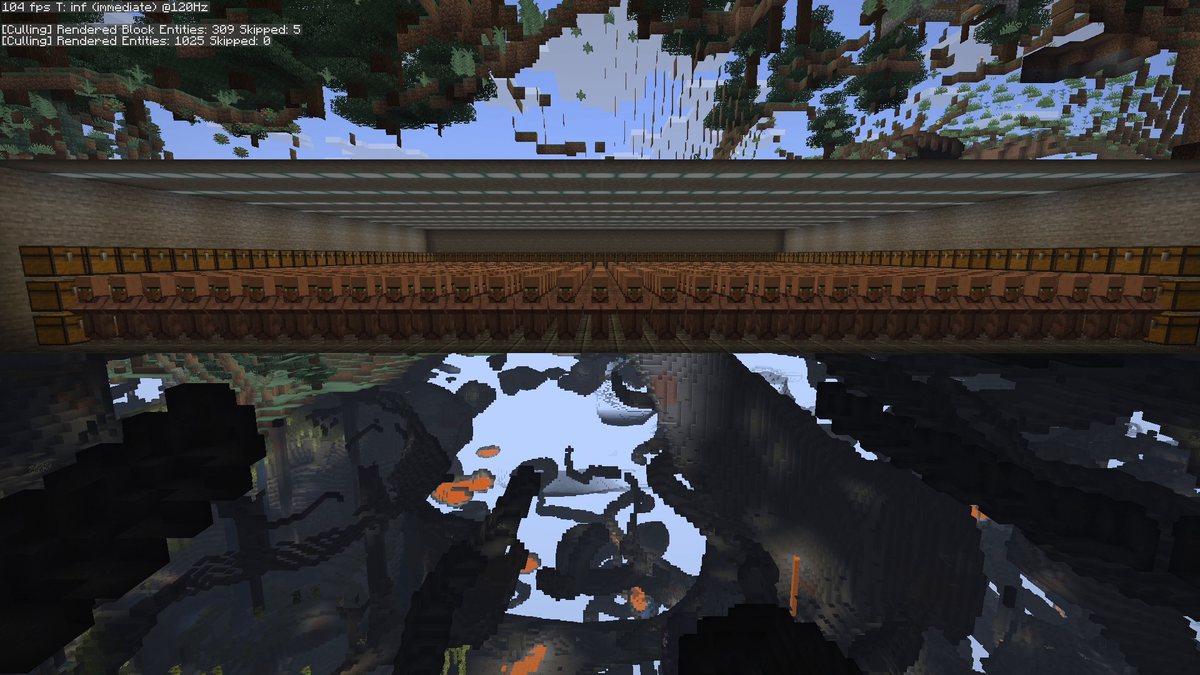


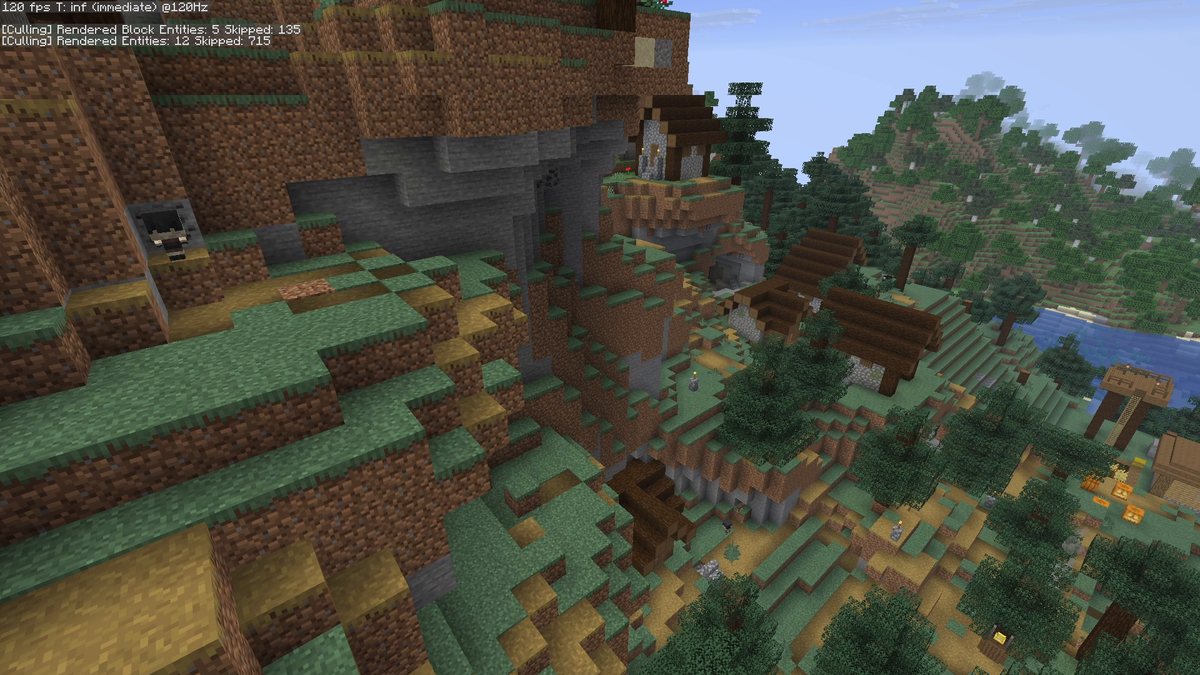
Real in-game screenshots from Minecraft 26.3, recorded at The Mod Hunter's base world: a sealed vault with 1,024 villagers and 294 chests inside a mountain, filmed with and without Entity Culling 1.11.2. The F3 numbers are the game's own debug text, zoomed in.
FAQ
Is Entity Culling available for Minecraft 26.3?
Yes. Version 1.11.2 is a release for Minecraft 26.3 on Fabric and NeoForge (September 21, 2026). The Fabric version requires Fabric API, the NeoForge version has no required dependencies.
What does Entity Culling do?
Vanilla Minecraft skips what is behind you, but still renders entities and block entities that are hidden behind walls, ceilings or terrain. Entity Culling traces the line of sight asynchronously on spare CPU cores and skips rendering what you actually can’t see. How much FPS you gain depends on the number of entities and where you are in the world.
Does it change mob behavior or farms?
No. According to its author it only skips rendering. Mobs still spawn, move and drop items, farms keep working, and the server-side simulation is not affected. The optional tick culling only applies to the client-side world.
Do I need Entity Culling on the server?
No. It is a client-side mod; Modrinth lists it as required on the client and unsupported on the server.
I use Sodium. Does Entity Culling still help?
Yes. According to its author, Sodium’s own entity culling only checks which chunks are visible. Entity Culling checks the actual line of sight, so it also skips entities inside visible chunks that are still hidden.
Can it hurt performance?
On a very old PC whose CPU is already maxed out there is no spare CPU time for the visibility checks. Otherwise the author says it should never cost performance, at worst it has no effect when there is nothing to cull.
How can I test it myself?
Under Controls you can bind a key for Debug toggle culling and switch the mod on and off without restarting. A second key shows the culling boxes. The F3 screen also gets lines for rendered and skipped entities and block entities (turn them on with F3 + F6 in newer versions).