3D Skin Layers: Download and Install Guide (26.3)
3D Skin Layers: real 3D depth for player skins in Minecraft 26.3
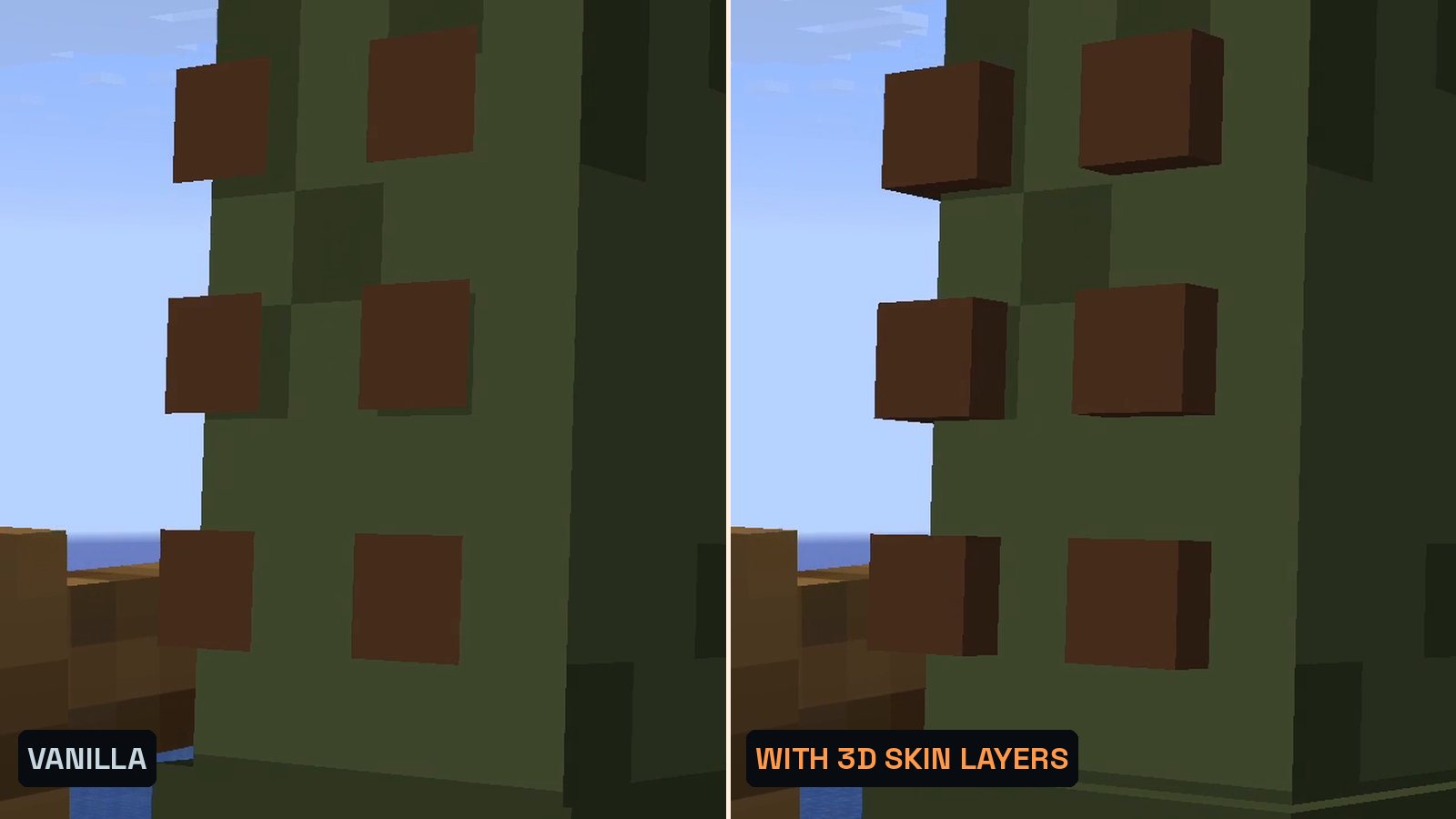
In vanilla Minecraft the second layer of a skin is drawn flat, like a sticker. 3D Skin Layers turns it into a real 3D model, so jackets, scarves, belts and hats stand out from the body. Client-side only, version 1.11.3 for 26.3.
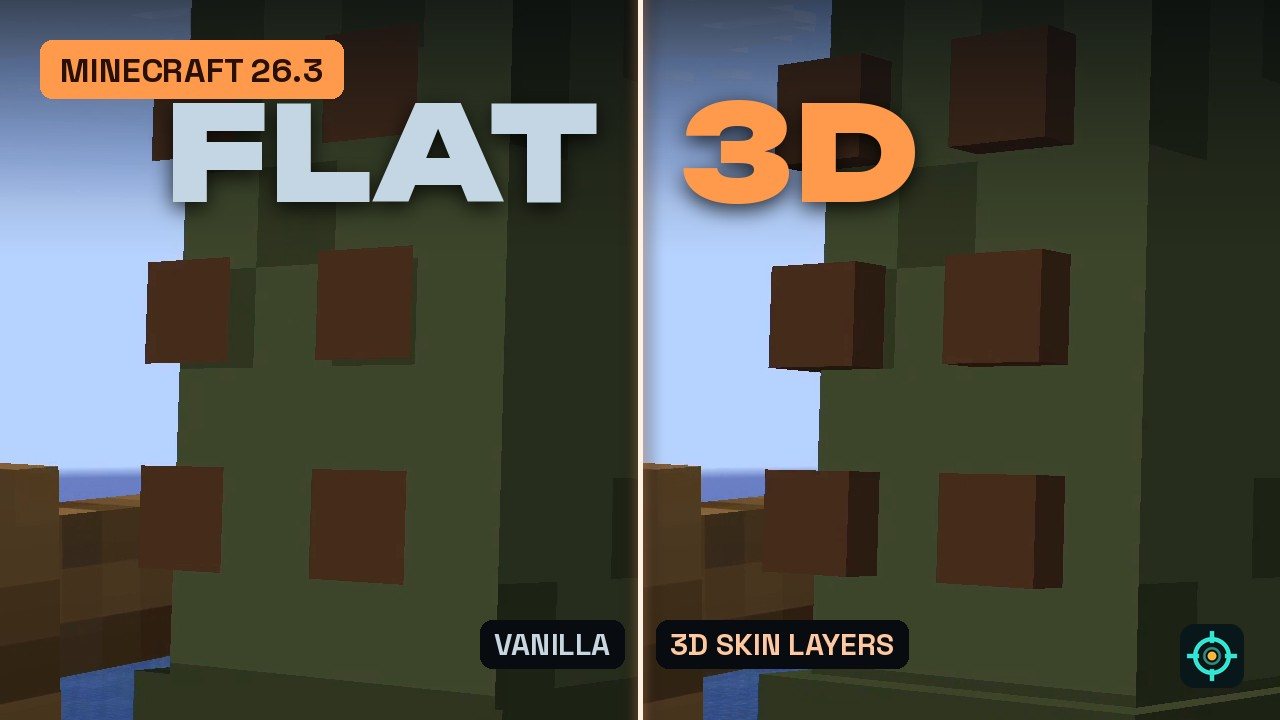 1:37
1:37 The short version
3D Skin Layers for Minecraft 26.3
Playing loads the video from YouTube (privacy-enhanced mode), which may set cookies and process your data. Details.
Every Minecraft skin has a second layer for jackets, hats and other details, and vanilla draws it flat, like a sticker on the body. 3D Skin Layers turns that layer into real 3D pixels. Version 1.11.3 is out for Minecraft 26.3 on Fabric and NeoForge.
Our test: the Hunter’s new coat
For this video the Hunter got a new skin with a detailed second layer: a scarf with a knot, an ammo belt with brass cartridges, pockets, a belt buckle and leather fringe on the sleeves and coat. We filmed the same camera path twice, once in vanilla Minecraft 26.3 and once with 3D Skin Layers 1.11.3.
- Vanilla: the scarf, the belt and the fringe are painted flat onto the body.
- With 3D Skin Layers: every pixel of the second layer becomes a small 3D block that sticks out from the body, with real edges and shadows.
The Hunter’s old skin had almost nothing on that layer, and with the mod it barely changed. The mod can only show what the skin already contains.
What 3D Skin Layers does
- 3D outer layer: the flat second layer of player skins becomes a 3D model. Jackets, sleeves and hats get real depth.
- Transparent pixels: see-through parts like glasses and visors are rendered correctly.
- Player heads: it also applies to player head items.
- Distance switch: past 12 blocks it switches back to flat layers on its own to keep the frame rate up.
Good to know
- Client only: you see every player’s skin in 3D, and servers don’t need the mod.
- Your skin needs a second layer: skins with an empty outer layer don’t change. Check that the layers are enabled under Options > Skin Customization.
- Limits: HD skins are not supported, some skins don’t fit perfectly in 3D, and with shaders the shadows can look odd. The skin should come from Mojang’s skin servers.
- Modded armor: if armor from other mods clips through the 3D layer, lower the 3D size in the mod settings.
3D Skin Layers for Minecraft 26.3
The current release is 3D Skin Layers 1.11.3 for Minecraft 26.3, on Fabric and NeoForge since September 17, 2026. The Fabric version requires Fabric API. 3D Skin Layers is made by tr7zw and has over 80 million downloads on Modrinth.
How to install 3D Skin Layers
- Install Fabric or NeoForge for Minecraft 26.3.
- On Fabric, add Fabric API to your
modsfolder. - Download 3D Skin Layers 1.11.3 for 26.3 from Modrinth and put it into your
modsfolder. - Start the game with the Fabric or NeoForge profile. Skins of all players now show their outer layer in 3D.
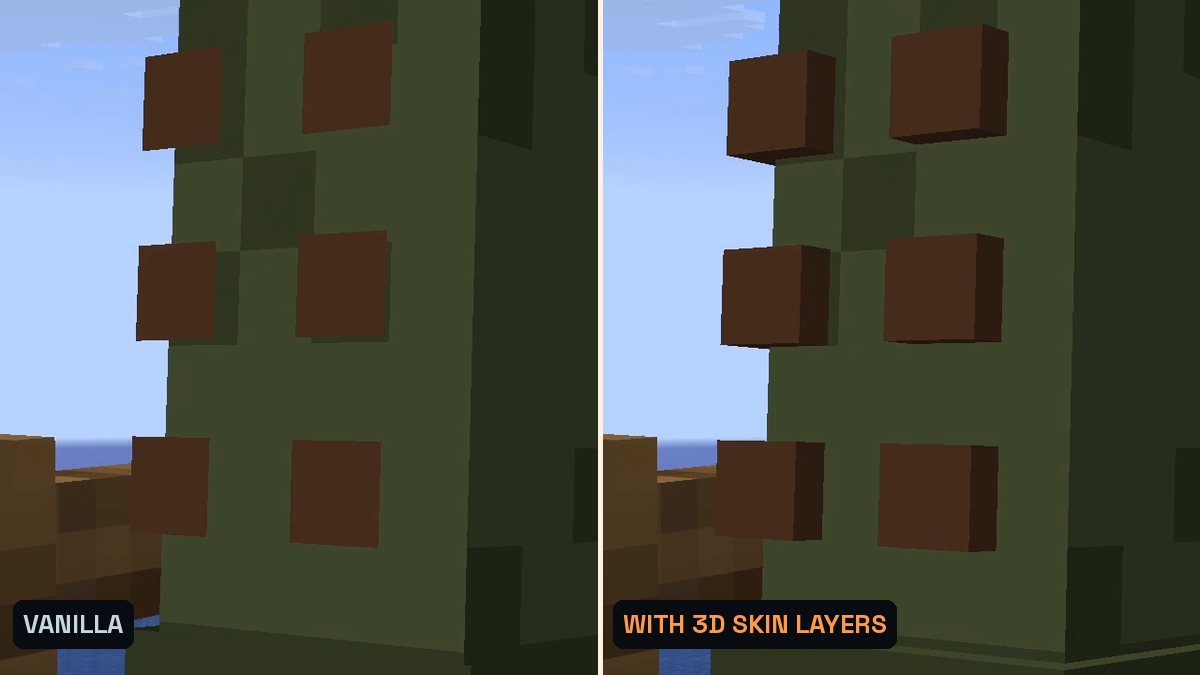
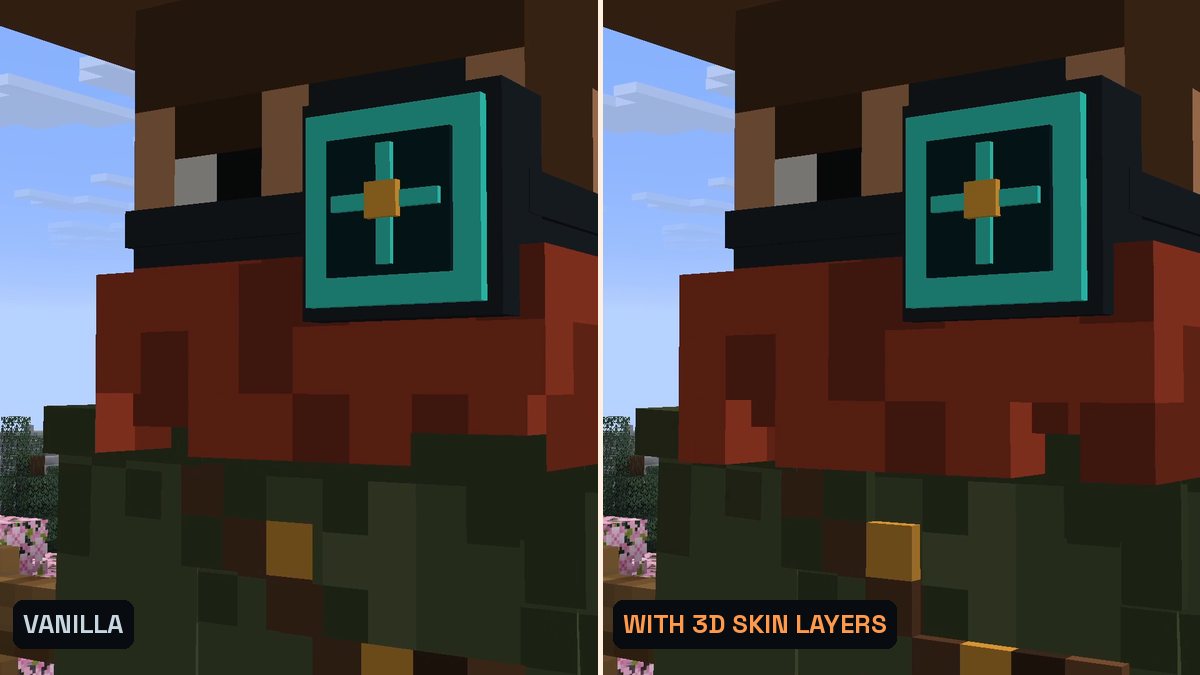
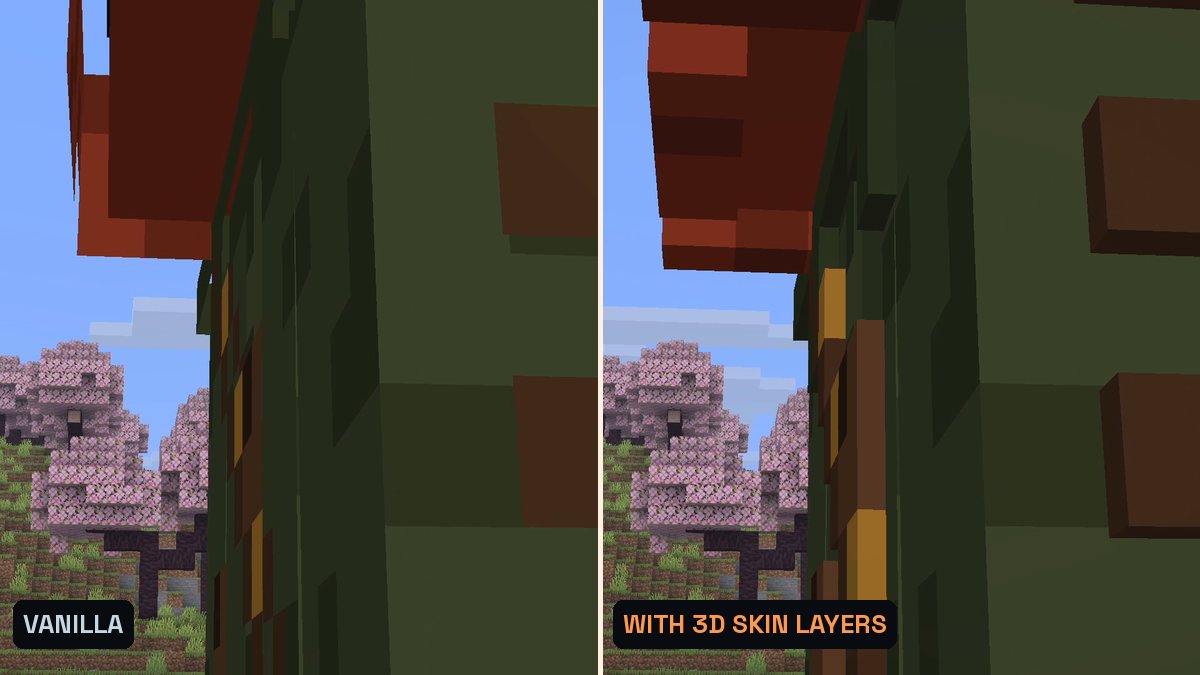
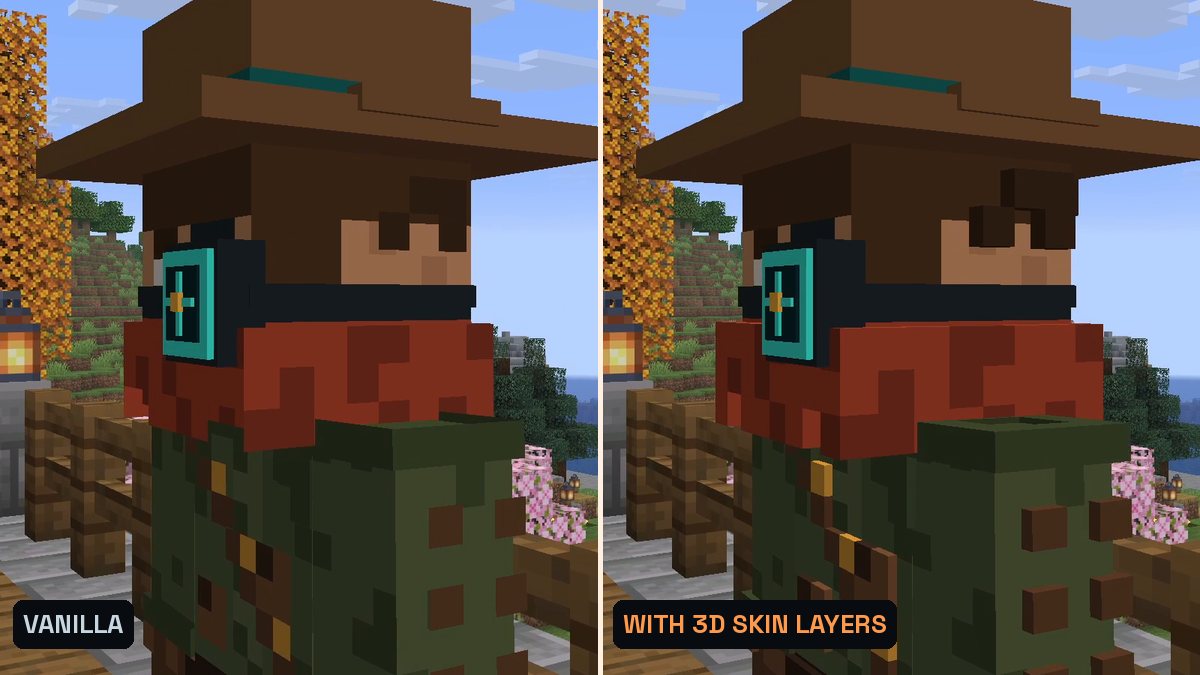
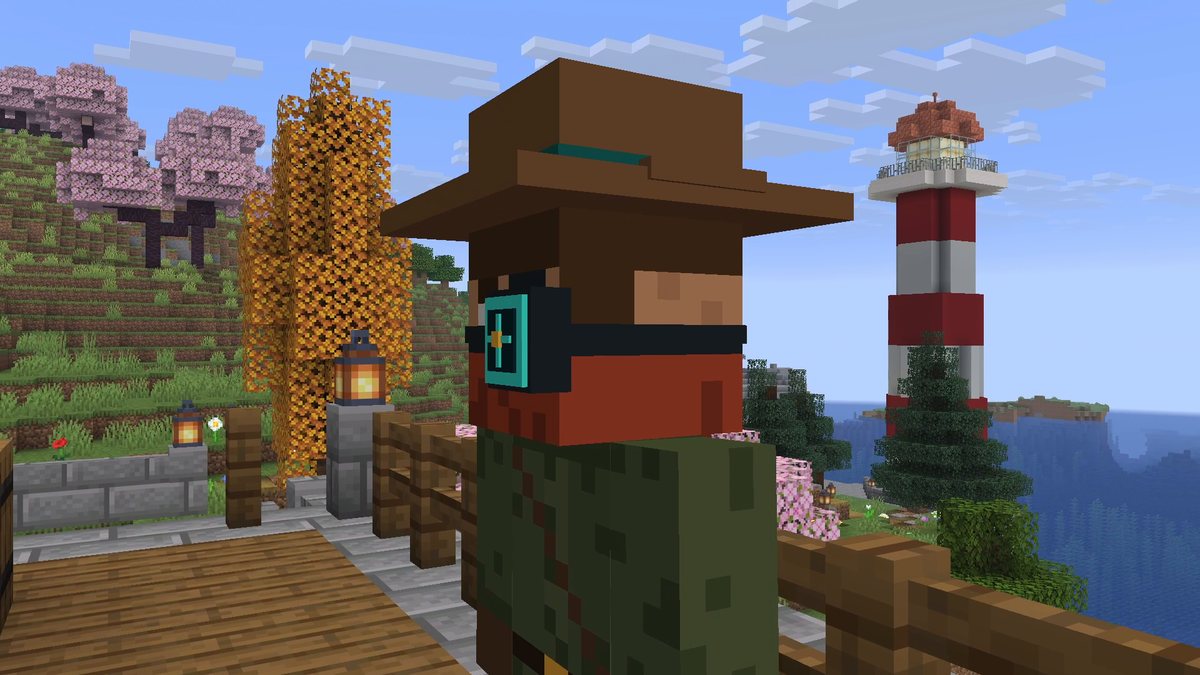
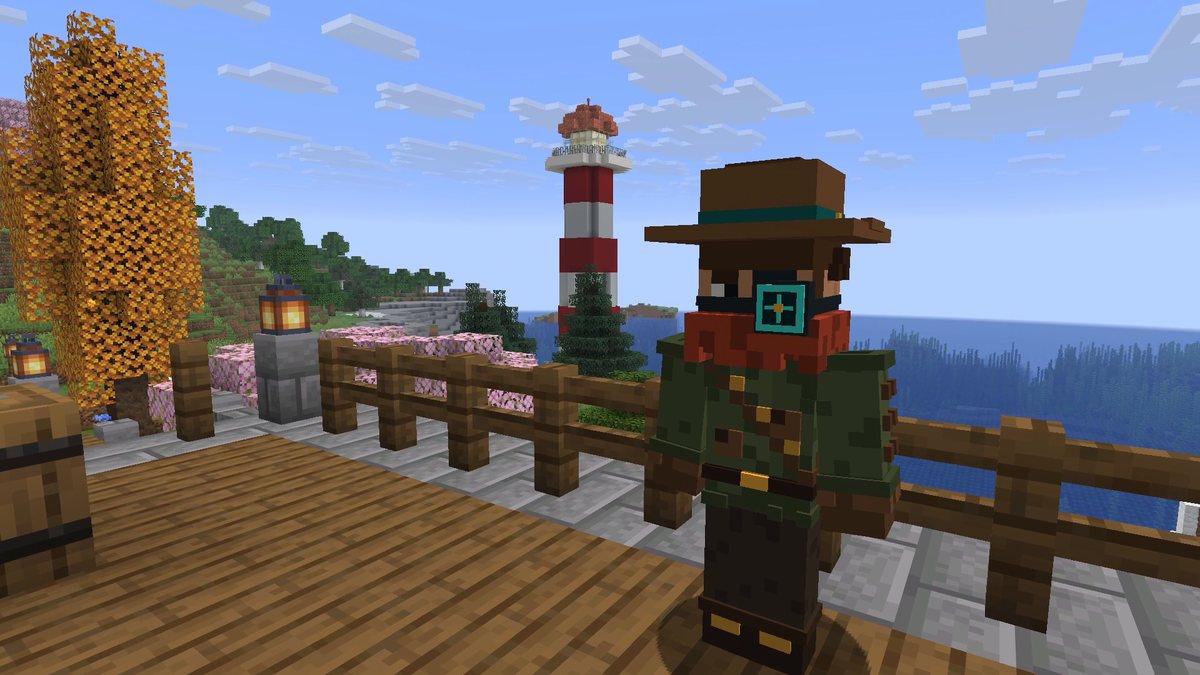
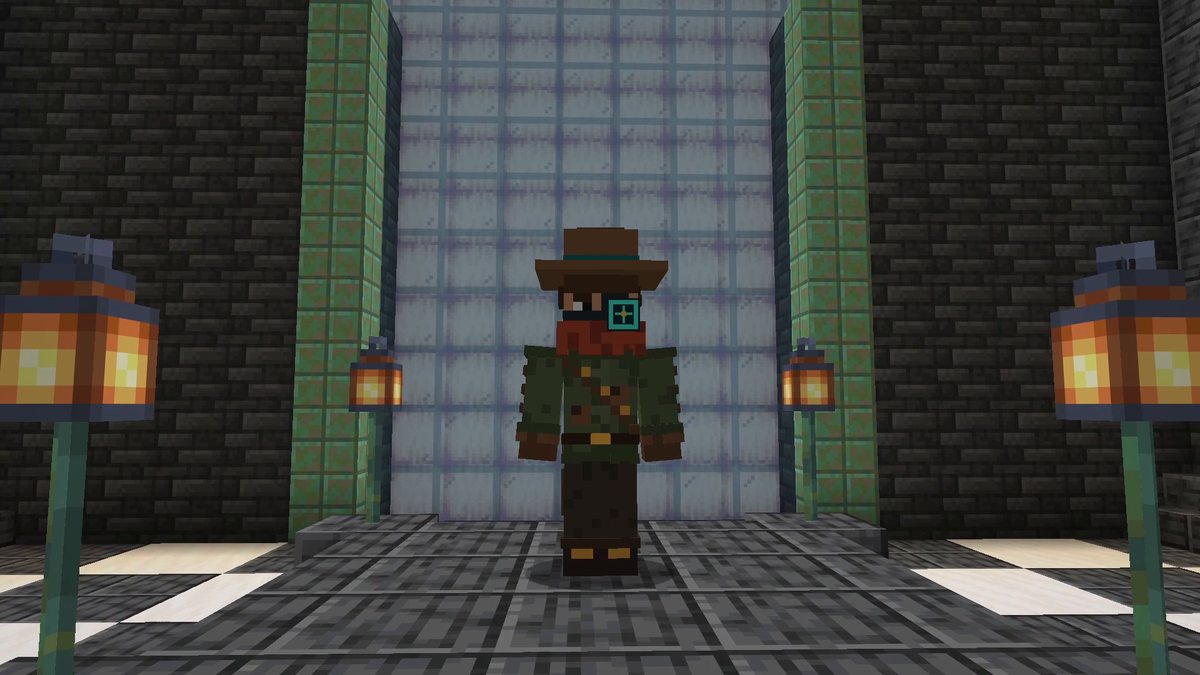
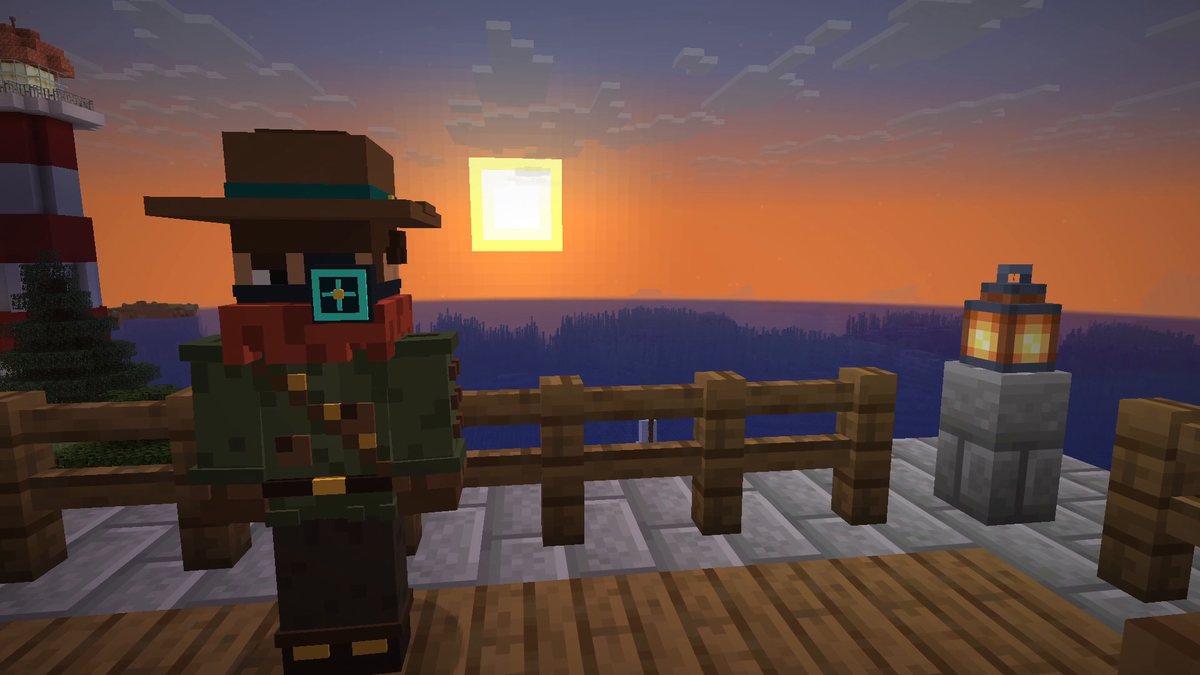
Real in-game screenshots from Minecraft 26.3, recorded in The Mod Hunter's new world Valley of Mods: the same camera path filmed in vanilla and with 3D Skin Layers 1.11.3. The Hunter wears a new skin with a detailed second layer (scarf, ammo belt, leather fringe).
FAQ
Is 3D Skin Layers available for Minecraft 26.3?
Yes. Version 1.11.3 is a release for Minecraft 26.3 on Fabric and NeoForge (September 17, 2026). The Fabric version requires Fabric API, the NeoForge version has no required dependencies.
What does 3D Skin Layers do?
Every Minecraft skin has a second, outer layer for jackets, sleeves, hats and similar details. Vanilla draws it as a flat shell. 3D Skin Layers replaces it with a real 3D model made of pixels, so these details get depth. Transparent pixels are supported, and it also works on player head items.
Why does my skin look the same with the mod?
The mod can only show what is on the second layer of the skin. If your skin has little or nothing on that layer, nothing changes. Also check that the skin layers are turned on under Options > Skin Customization.
Do I need 3D Skin Layers on the server?
No. It is a client-side mod. You see the skins of all players in 3D, and the server doesn’t need to install anything.
Does it cost FPS?
To keep the frame rate up, the mod switches back to flat 2D layers for players that are more than 12 blocks away.
Does it work with HD skins or other skin loaders?
HD skins are not supported. The skin should be loaded through Mojang’s skin servers; other skin loaders may not work. CustomSkinLoader needs an extra helper mod, and Lunar Client is not supported.
Modded armor clips through the 3D layer. What can I do?
Lower the 3D size in the mod settings. The 3D layer is slightly bigger than the body, so some armor models from other mods can overlap it.